
The cyber-insurance restore-testing question: what to show
Cyber-insurance applications and renewal questionnaires commonly ask about backups. Alongside "do you have backups?" and "are they kept offline or separate?", there's usually a question like this:
Do you regularly test that your backups can be restored?
It's an easy question to answer "yes" to, and a hard one to prove. This guide covers what the question is getting at, what doesn't count as proof, and what evidence looks like.
What the question is getting at #
The insurer wants to know that, after an incident such as ransomware, you could actually get your systems back. A backup that exists but won't restore doesn't help you, or them. Questionnaires vary, but the follow-ups tend to be:
- how often restores are tested;
- whether the test covers the important systems, not just a single file;
- whether there's a record of the tests.
Always answer what your own insurer's form asks, and ask your broker if you're unsure what they expect.
Why "the backup job succeeded" isn't proof #
A green tick in the backup software means the data was written and, at best, read back cleanly. It doesn't start the server. A server that won't boot, a database caught half-written, or a missing driver all look fine until someone tries a real restore. The same goes for backup verification jobs: they check the stored data, not whether the system runs. Verify jobs vs restore tests.
What evidence looks like #
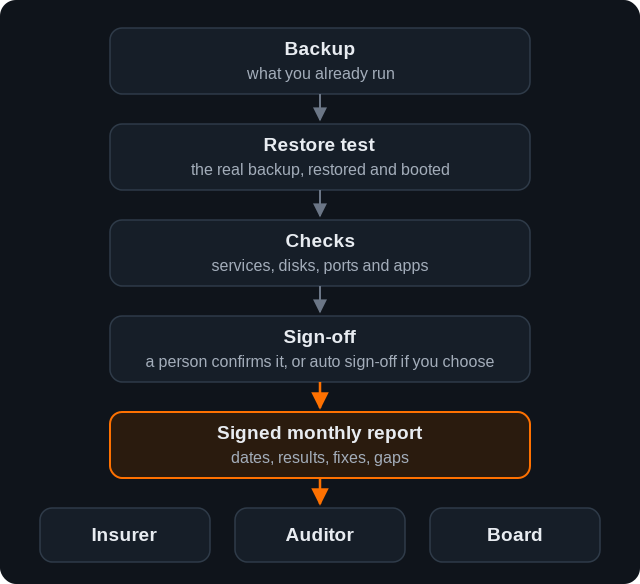 From backup to evidence: every step is recorded, and the signed monthly report is what you show.
Good restore-test evidence answers four questions, with dates:
- What was tested: which servers, and from which backup.
- What happened: restored, started up, and checked that its services and applications came up.
- How long it took: the time to get each one back, against the target you set.
- What failed and what was done about it: failures are normal; the record of fixing them is the point.
A dated, signed report that covers this is something you can attach to the questionnaire or show an auditor.
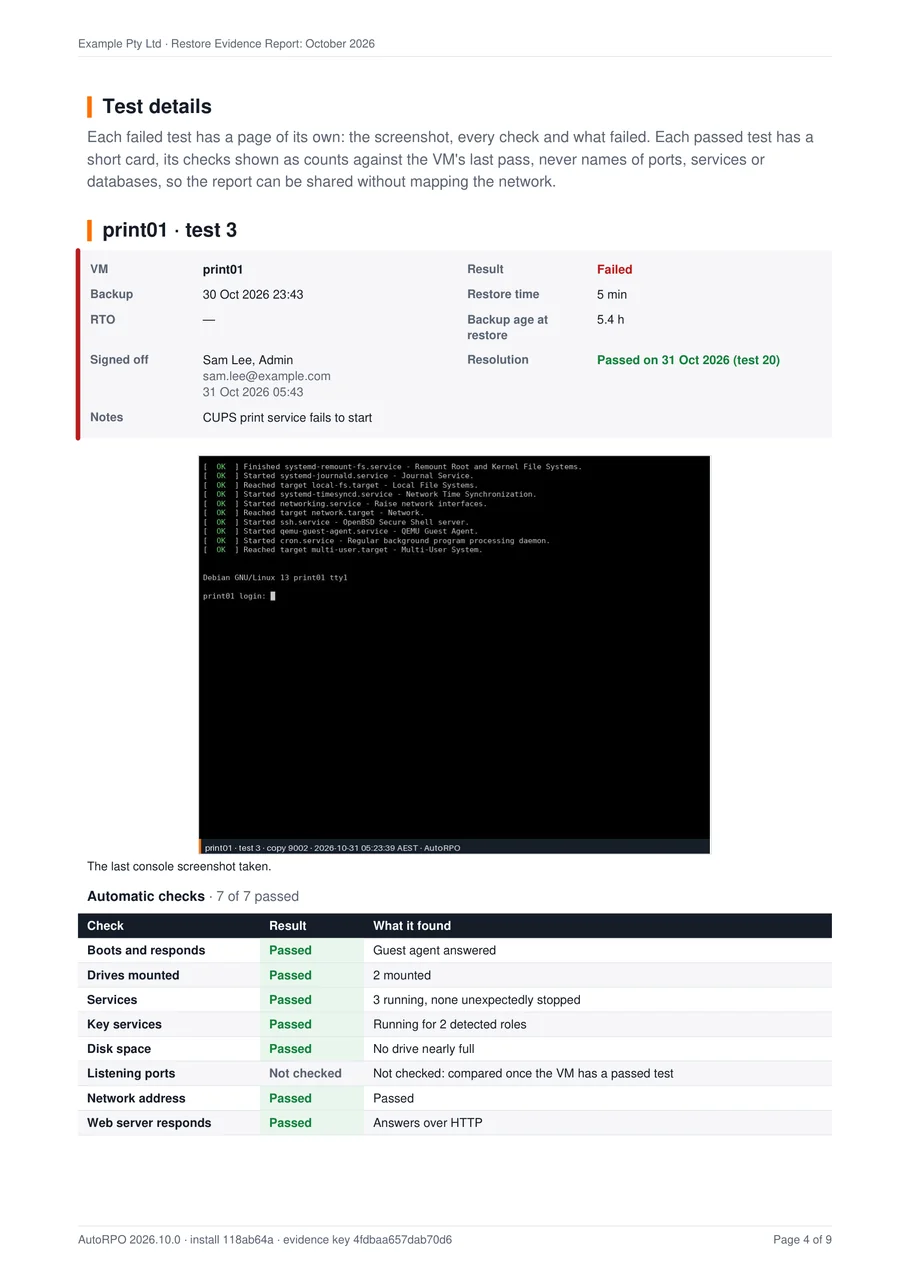 A failed test in a sample report (demo data): what went wrong, the console screenshot and every check.
Once isn't enough #
A single test proves one backup on one day. Backups change every night, so a test from a year ago says little about tonight's. The stronger answer is continual testing: each important server restored again on a schedule, for example monthly for critical systems, each time from the newest backup, with a monthly report that keeps the running record.
How AutoRPO fits #
AutoRPO does this automatically for Proxmox and Hyper-V (Windows Server Backup) backups: it restores each VM on an isolated network on its own host, boots it, checks it, times it against your recovery targets, and produces a signed Restore Evidence Report every month. For MSPs, the report carries your brand.