
Hyper-V backup testing
Restore-test your Windows Server Backups, automatically
Windows Server Backup tells you the job finished. AutoRPO restores each Hyper-V VM from the backup share onto its own isolated host, boots it, checks it and records the result for sign-off and your monthly Restore Evidence Report. Your servers stay on Hyper-V.
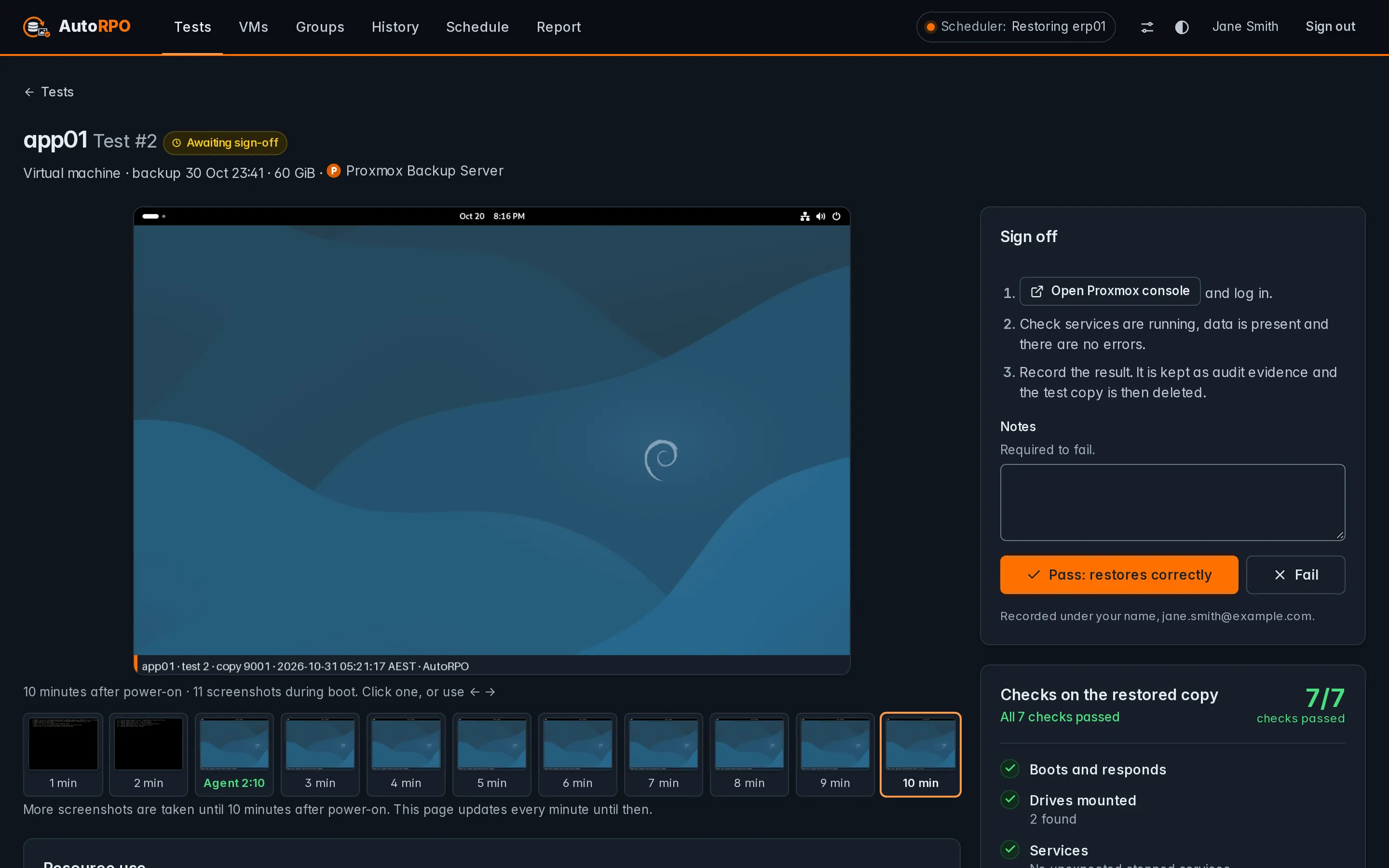
Built for small Windows sites and the MSPs who look after them
Windows Server Backup doesn't test itself
It's free and it runs, but nothing in it shows a VM would come back. Restoring one by hand takes an hour, so it doesn't happen.
Insurers ask anyway
Cyber insurance renewals ask whether you test your backups. A signed monthly report answers with dates and results.
One small box per site
AutoRPO runs on a spare server, a VM on an existing host, or a rented cloud server. MSPs run one per client site and see every result in one place.
How a Hyper-V restore test works
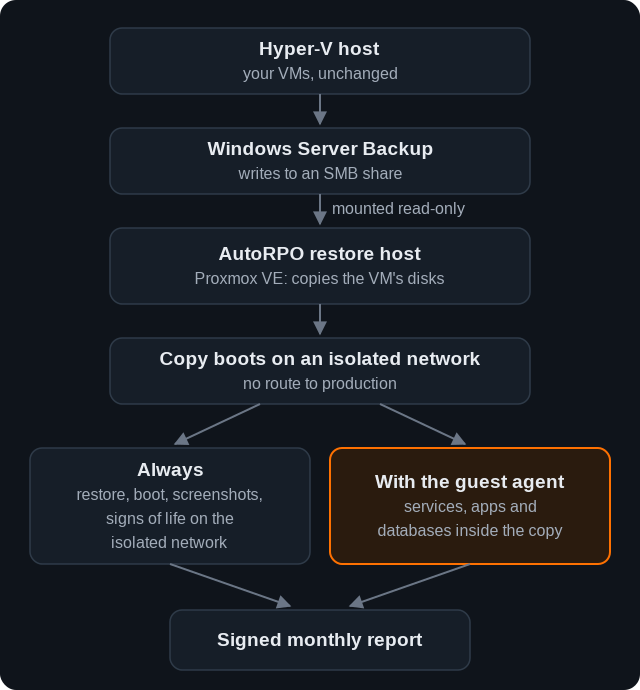
1. Read the share
AutoRPO mounts your backup share read-only and finds each VM's newest complete backup.
2. Copy the disks
It copies the VM's disks onto its own Proxmox host. The backup is never booted or changed.
3. Boot in isolation
The copy starts on an isolated network with no route to your live systems, and AutoRPO takes console screenshots as it boots.
4. Check and record
It runs the checks, times the restore against your targets, and queues the result for sign-off. Then the copy is deleted.
What's checked
Install the QEMU guest agent once in each VM, while it's on Hyper-V and before its backups run, and Hyper-V copies get the same checks as Proxmox VMs. It stays idle on Hyper-V and starts in the test copy.
| Check | With the guest agent | Without it |
|---|---|---|
| Restores and powers on | Yes | Yes |
| Console screenshots while it boots | Yes | Yes |
| Signs of life on the isolated network | Yes | Yes |
| Services, disks and listening ports | Yes | No |
| SQL Server, domain controllers, web servers | Yes | No |
| Your own PowerShell or shell scripts | Yes | No |
A monthly Restore Evidence Report
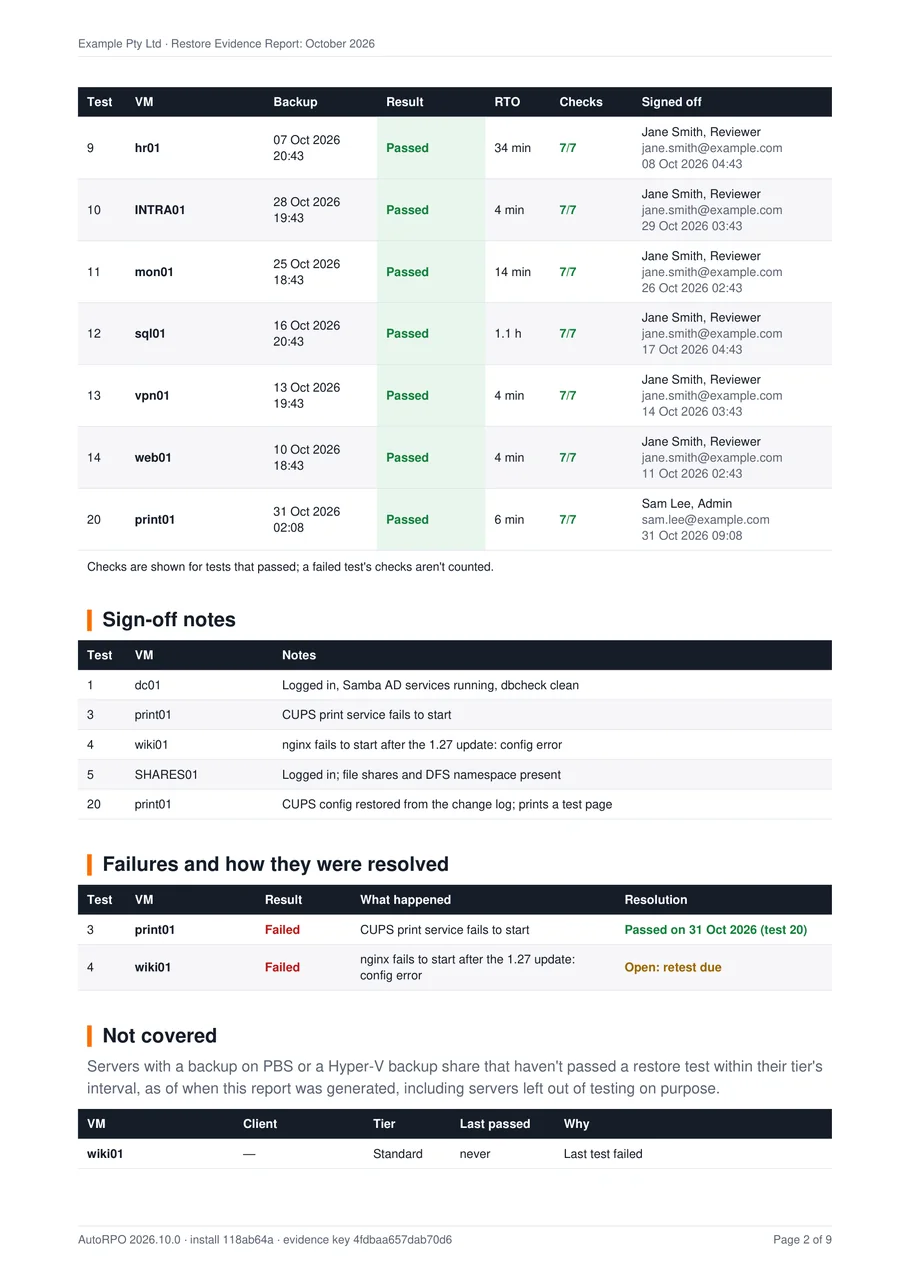
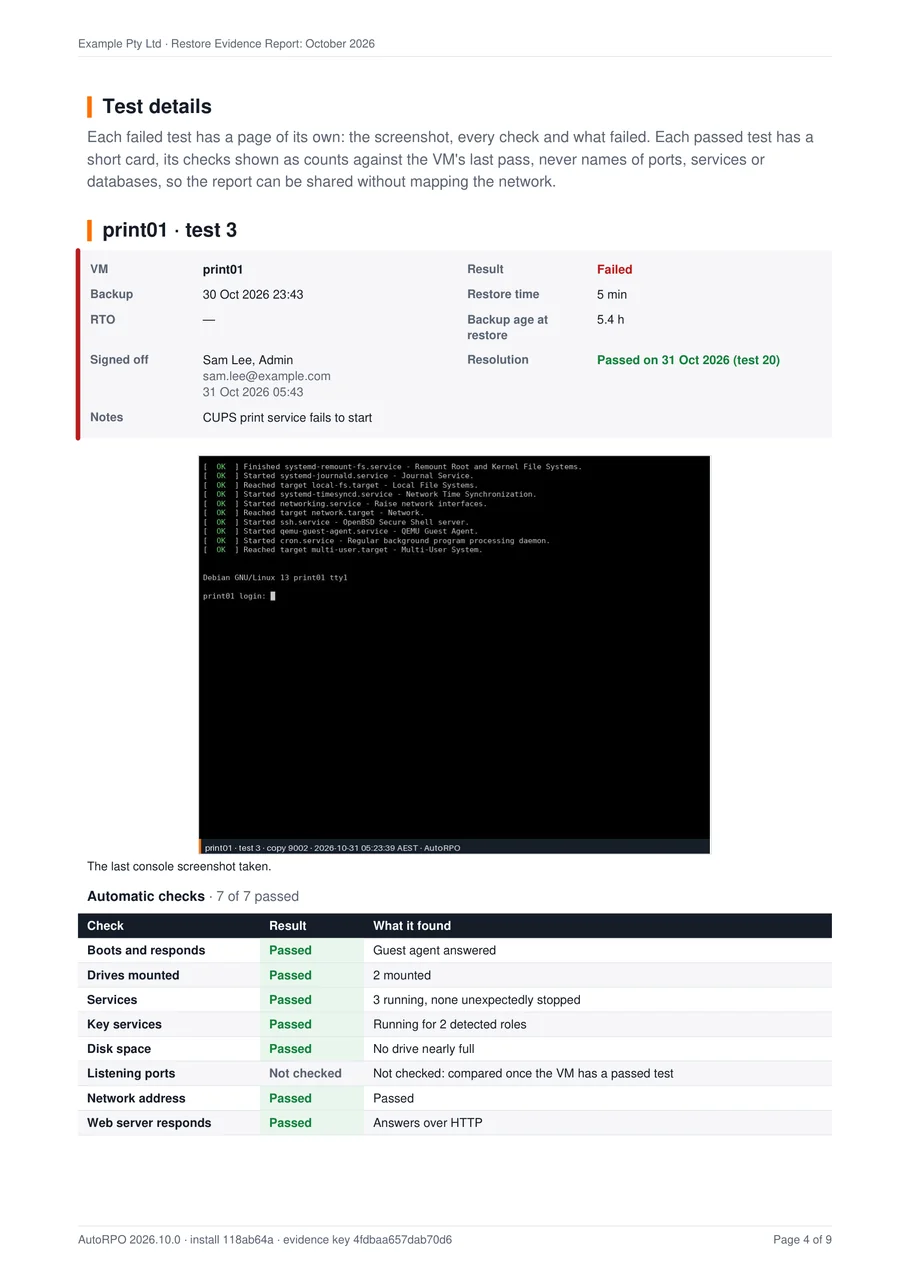
Every test, failure and fix, and every VM that wasn't covered, in a signed PDF made on your own host.
A signed Restore Evidence Report every month
- Which VMs were tested, when, and whether they passed
- What failed, and how it was fixed
- Which VMs weren’t tested, and why
- How old each backup was, and how long the restore and boot took
- A screenshot of each VM as it started up (for a container, a snapshot of its state)
- A digital signature: anyone can confirm it’s exactly the file your AutoRPO produced, with its signature file or by uploading it to your AutoRPO
Download a sample report (PDF) (from AutoRPO’s demo data, 9 pages)
It’s produced on your own host, not in the cloud. How the report works.
What you need
- Hyper-V VMs backed up with Windows Server Backup, or exported, to an SMB share
- A Windows account that can only read the share (AutoRPO refuses one that can write)
- A small, standalone Proxmox VE 9 host for AutoRPO: a spare server, a VM with nested virtualisation, or a cloud server
- Storage on that host larger than your largest VM or restore group
- The QEMU guest agent in each VM, for checks inside the copy
Questions
Do I have to run Proxmox in production?
Which backups can it test?
Does it change my backups?
Can it check SQL Server and domain controllers?
What if a VM had a checkpoint?
What about BitLocker?
Does it work with other backup software?
Start restore-testing your Hyper-V backups
Limited pre-launch trials are open now: apply on the waitlist form.