
Automatic restore testing for Proxmox and Hyper-V backupsBackups are one thing. Restore-tested backups are another.
Every VM restored, booted and checked, automatically.Proof your backups work, signed every month.
- ✓ Read-only access to your backups
- ✓ Test copies on an isolated network
- ✓ On your premises, or your own cloud server
Actively in use in electronics manufacturing, mining technology, wildlife management and testing-appliance businesses.
Limited pre-launch trials are open. Apply on the waitlist form
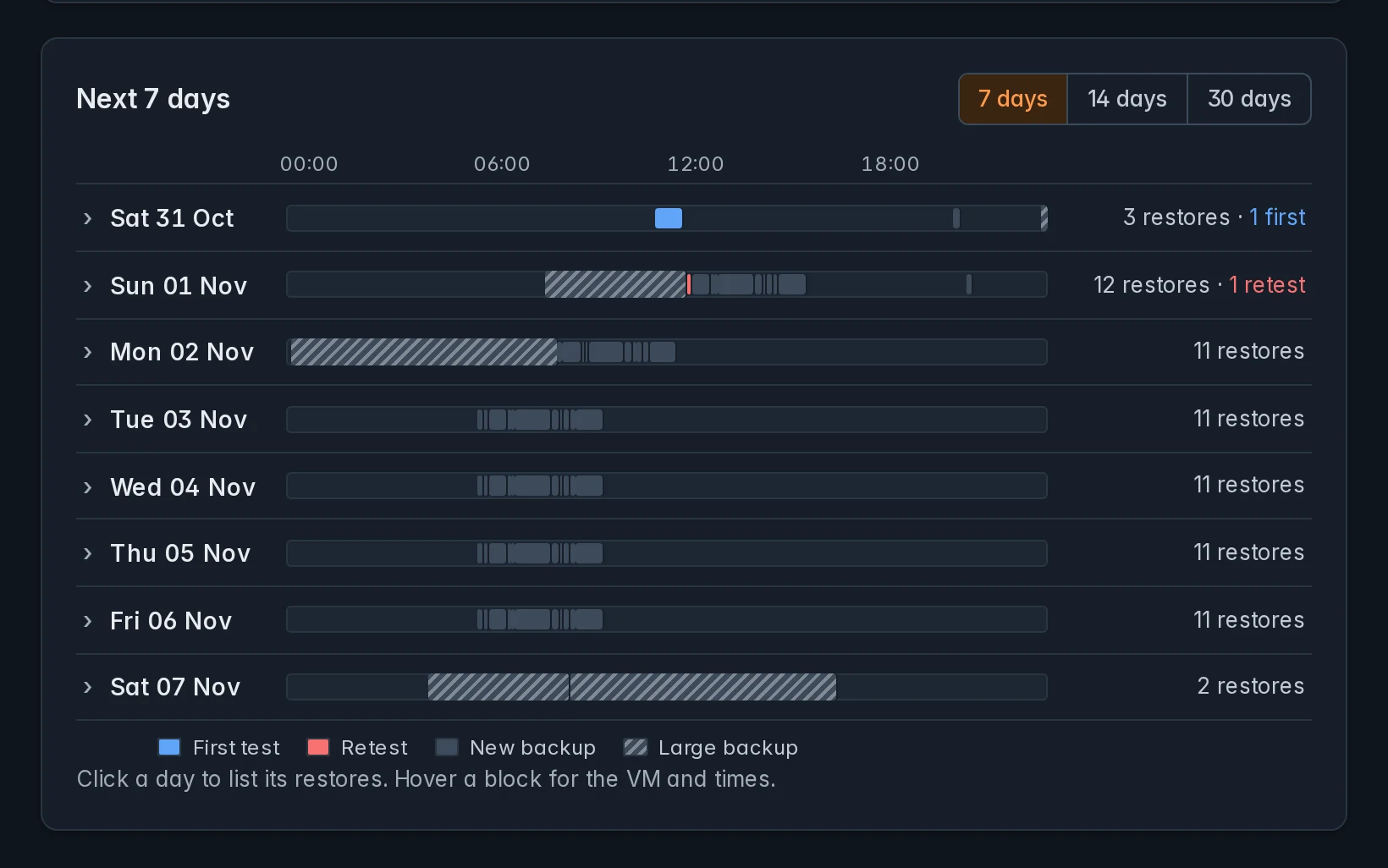
Why AutoRPO
Your real recovery time.
Every restore is timed against your target, so you know how long a recovery really takes.
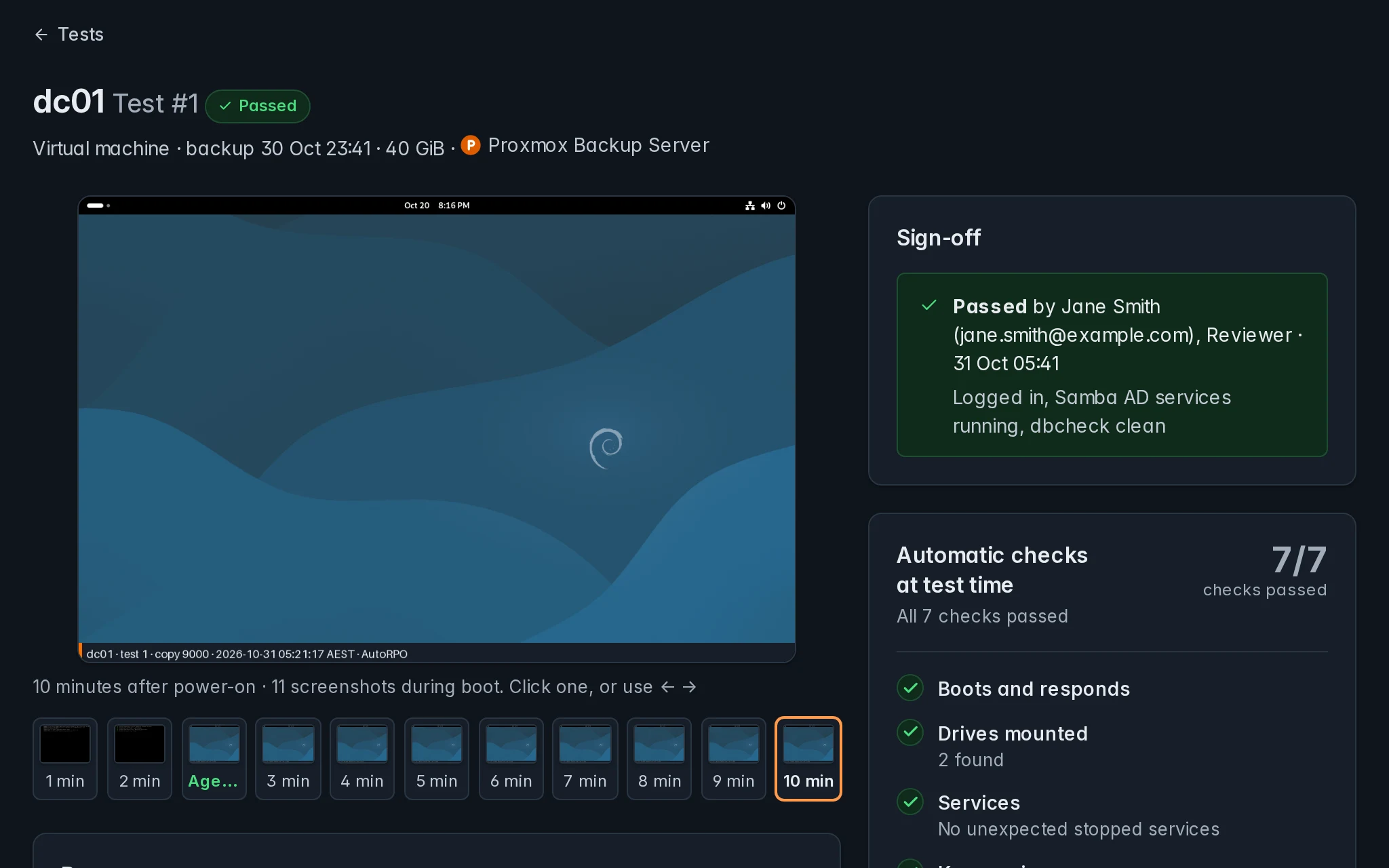
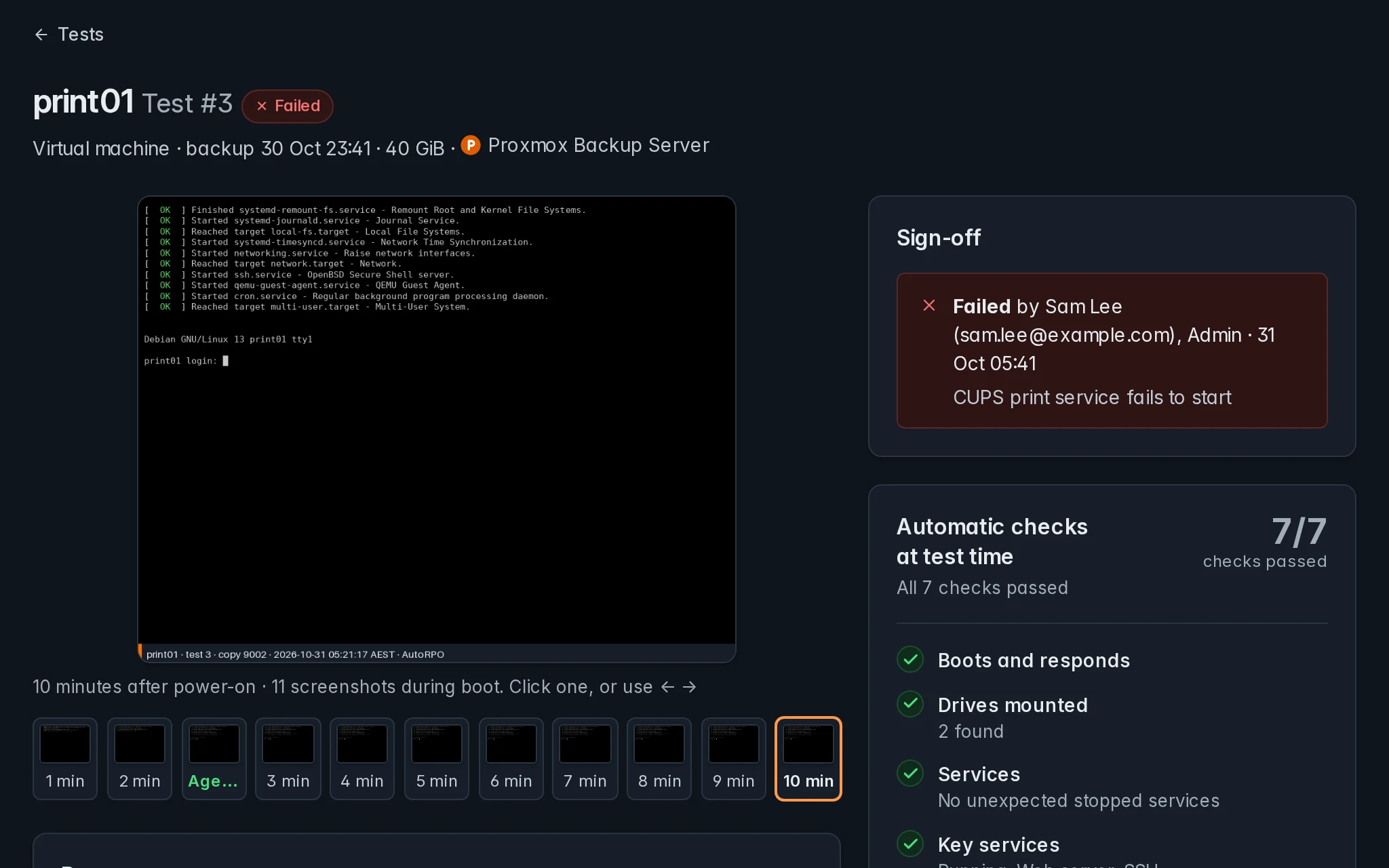
Apps proven working.
Databases open, domain controllers answer, web servers respond. Not just “it booted”.
No VM forgotten.
New VMs are added automatically, and anything not tested lately is listed with the reason.
Proof for your auditor.
A signed monthly report anyone can verify. See a sample report
Set up once. Tested forever.
Every VM restored and checked between your backups, with no one having to remember. Your backups stay where they are.
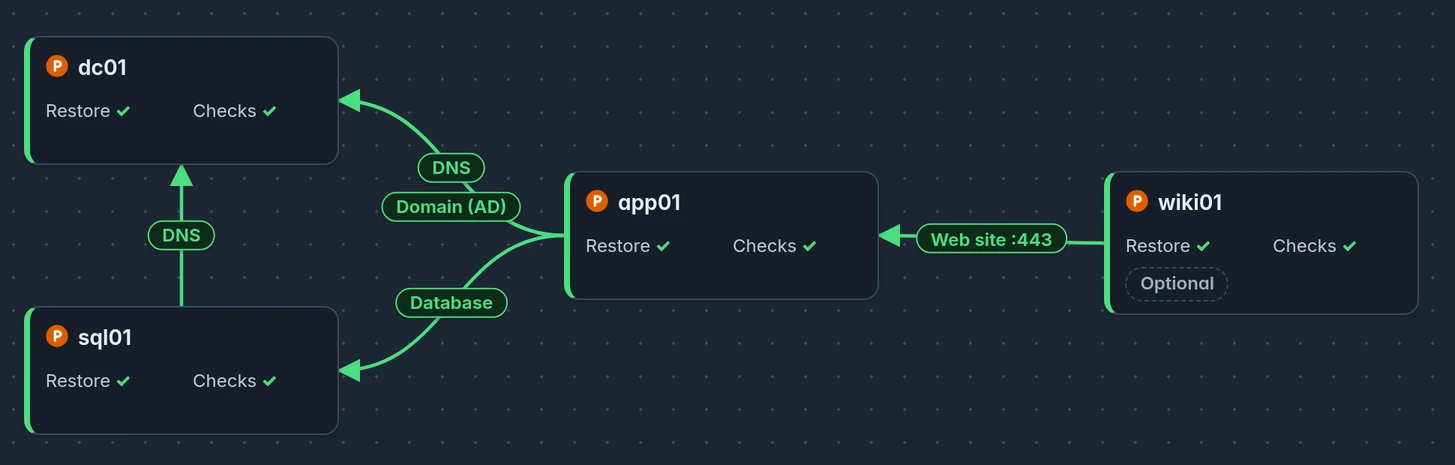
Recover whole services.
Your payroll isn't one server. AutoRPO restores the servers behind it together and proves the service works, not just each machine.
- Every connection proven. The app reaches its database, logins reach the domain controller, all on the isolated network.
- Service recovery time. How long until the whole service was back, against your target.
- Signed off as a service. A reviewer confirms it works as a whole, with its own PDF record.
Can’t touch production.
Read-only on your backups, test copies on a network with no way out, and a web interface that can't run host commands.
- Test copies start with no connection to your network, so they can’t clash with the real servers
- AutoRPO can only read your backups. It can’t change or delete them
- It runs on its own host and only ever removes the test copies it made
Exactly what AutoRPO changes on your host
When a check fails, the alert names it: email, Teams, Slack or your phone. How it works in detail
More than a boot test
Whatever you do today, here's what changes.
- Who starts itNobody. Every VM, on a schedule, between your backups.Hosted or on-demand service: Someone clicks, one VM at a time
- What's provenThe apps work. Databases open, domain controllers answer, web servers respond, your scripts pass.*Hosted or on-demand service: It reaches a login screen
- Recovery timeTimed against your target, for each server and each service.Hosted or on-demand service: Not measured
- Servers that need each otherRestored and tested together, checking each one gets what it needs from the others.Hosted or on-demand service: Tested alone, if at all
- VMs nobody testedNone forgotten. New VMs are added automatically; any not tested lately are listed with the reason.Hosted or on-demand service: You keep track yourself
- Your backupsStay where they are. Read-only, never changed.Hosted or on-demand service: Kept on the provider's storage
- EvidenceA signed monthly report anyone can verify, with who signed off each test.Hosted or on-demand service: A result for each test
- Cost and upkeepNo per-test fees. It runs on your own hardware and keeps itself up to date.Hosted or on-demand service: Per test, every month, on their hardware
| Question | Hosted or on-demand service | AutoRPO |
|---|---|---|
| Who starts it | Someone clicks, one VM at a time | Nobody. Every VM, on a schedule, between your backups. |
| What's proven | It reaches a login screen | The apps work. Databases open, domain controllers answer, web servers respond, your scripts pass.* |
| Recovery time | Not measured | Timed against your target, for each server and each service. |
| Servers that need each other | Tested alone, if at all | Restored and tested together, checking each one gets what it needs from the others. |
| VMs nobody tested | You keep track yourself | None forgotten. New VMs are added automatically; any not tested lately are listed with the reason. |
| Your backups | Kept on the provider's storage | Stay where they are. Read-only, never changed. |
| Evidence | A result for each test | A signed monthly report anyone can verify, with who signed off each test. |
| Cost and upkeep | Per test, every month, on their hardware | No per-test fees. It runs on your own hardware and keeps itself up to date. |
* Hyper-V VMs need the QEMU guest agent installed for checks inside the copy; without it they get restore, boot, screenshot and network checks. Hyper-V sources
A monthly Restore Evidence Report for your auditor or insurer
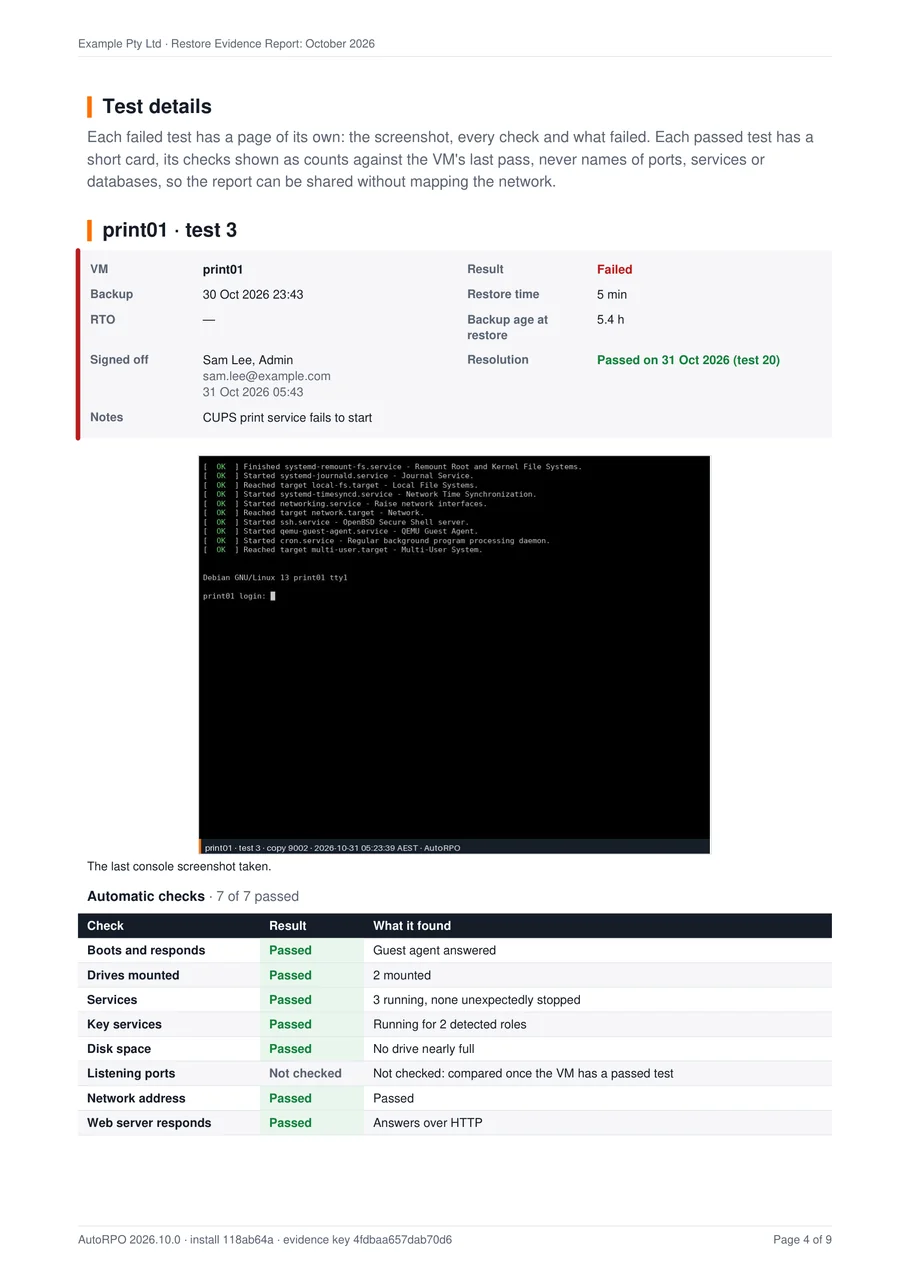
A signed Restore Evidence Report every month
- Which VMs were tested, when, and whether they passed
- What failed, and how it was fixed
- Which VMs weren’t tested, and why
- How old each backup was, and how long the restore and boot took
- A screenshot of each VM as it started up (for a container, a snapshot of its state)
- A digital signature: anyone can confirm it’s exactly the file your AutoRPO produced, with its signature file or by uploading it to your AutoRPO
Download a sample report (PDF) (from AutoRPO’s demo data, 9 pages)
It’s produced on your own host, not in the cloud. How the report works.
Who it's for
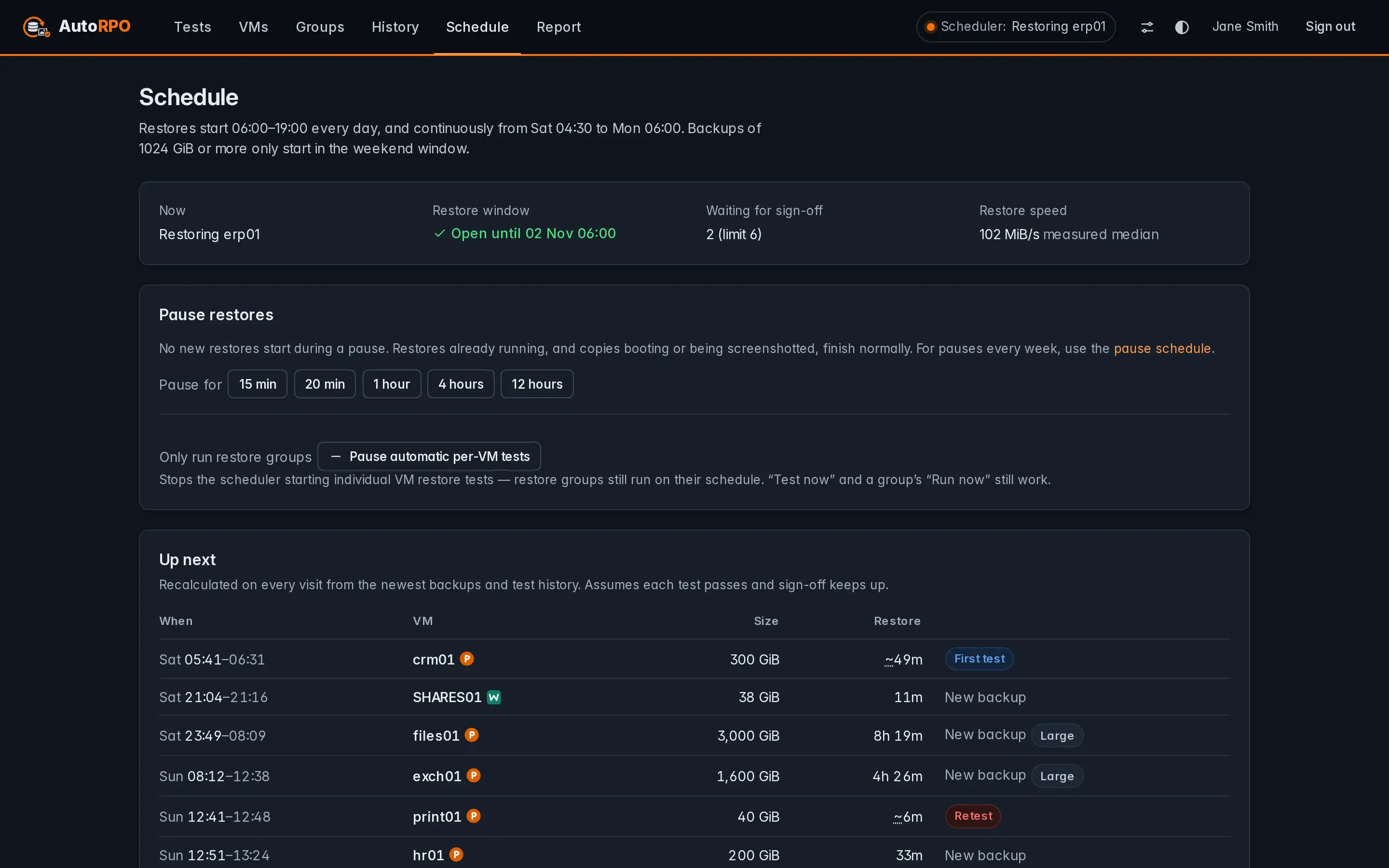
Stop doing restore drills.
AutoRPO restores and checks every VM on a schedule; you just sign off. Work out what it saves you
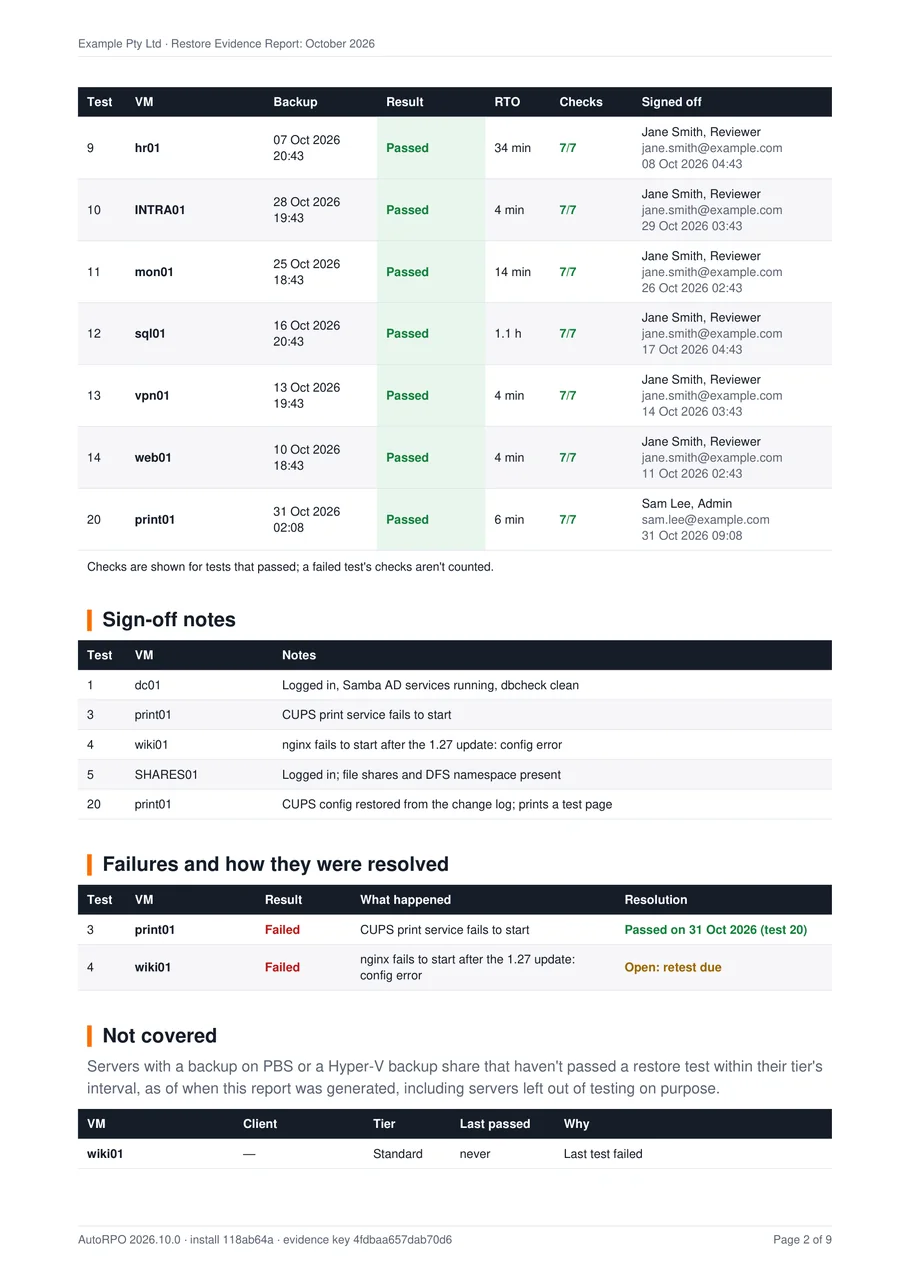
Proof, not promises.
Hand your insurer a signed report showing which VMs restored and worked. Send this to your IT team
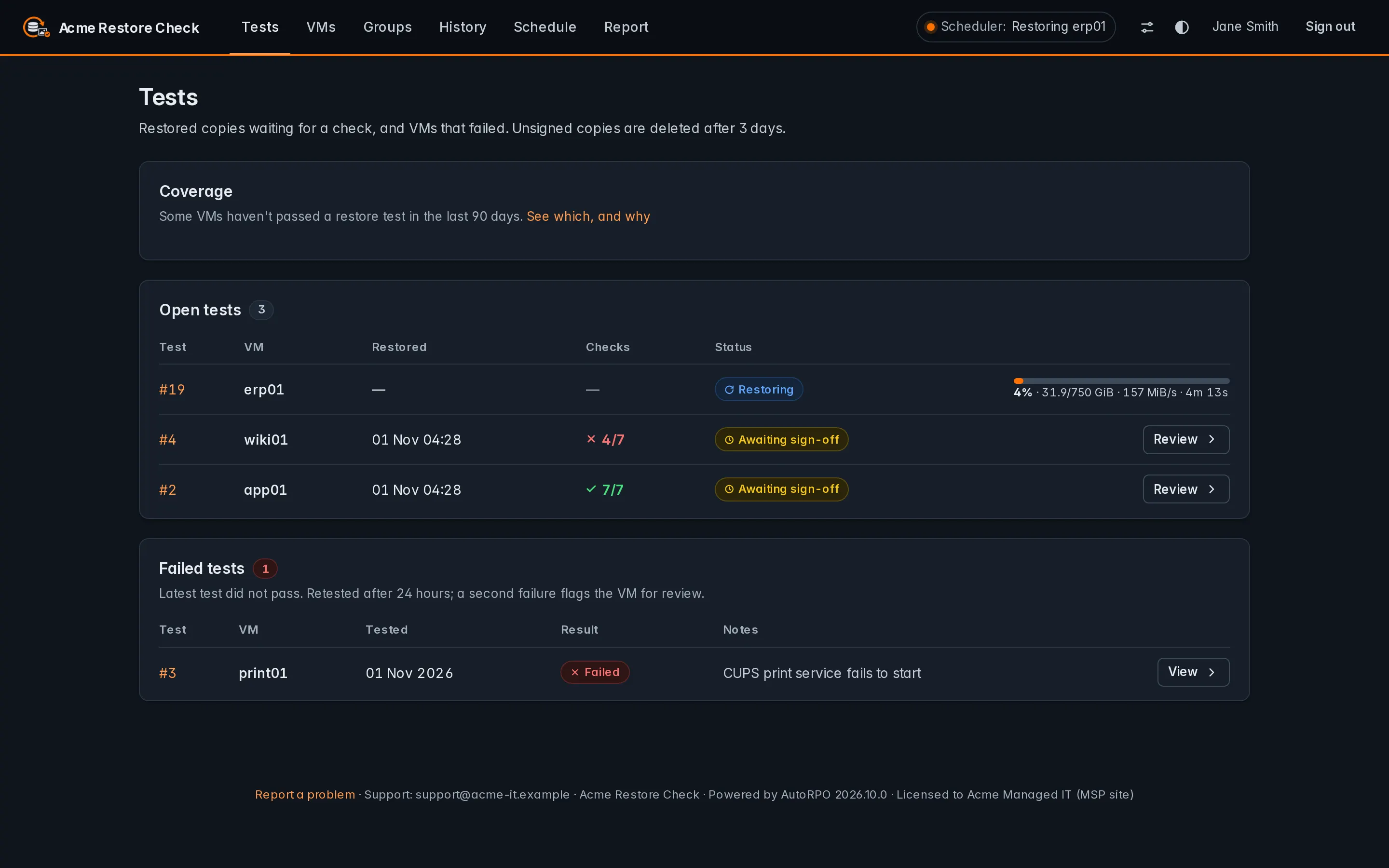
Your brand, your margin.
Sell restore testing as a monthly service, billed per client site. Partner programme
Runs on your hardware.
On site or on your own cloud server. Your backups never leave your hands. You'll need:
- A Proxmox VE 9 host of its own: a small server, a virtual machine, or a cloud server
- Your existing Proxmox Backup Server (3 or 4), or Windows Server Backup or Hyper-V exports on a file share
- Storage for your largest VM or restore group, plus 100 GiB headroom
Do I need another server? Not necessarily: run it as a VM on a host you already have (with memory and storage to spare), or on a rented cloud server.
Your data stays yours. Backups, test copies and results stay on your own hosts. None of it comes to us unless you turn on fleet reporting.
We can’t connect to it. The only data sent to us is a daily licence check (or none, if you activate offline), plus apt downloads when you install or update.
Nothing hidden. We publish exactly what it sends us.
Find out which of your backups would really restore
Limited pre-launch trials are open now: apply on the waitlist form.