
Proxmox backup testing
Automated restore testing for Proxmox backups
A backup job that finished isn’t a backup you’ve restored. AutoRPO restores your Proxmox VE VMs and LXC containers from Proxmox Backup Server on a separate host, checks each one boots and its apps work, and records the result for sign-off and your monthly Restore Evidence Report.
Free Community edition for home labs (up to 25 VMs). Business licences, paid once, from US$795. See pricing
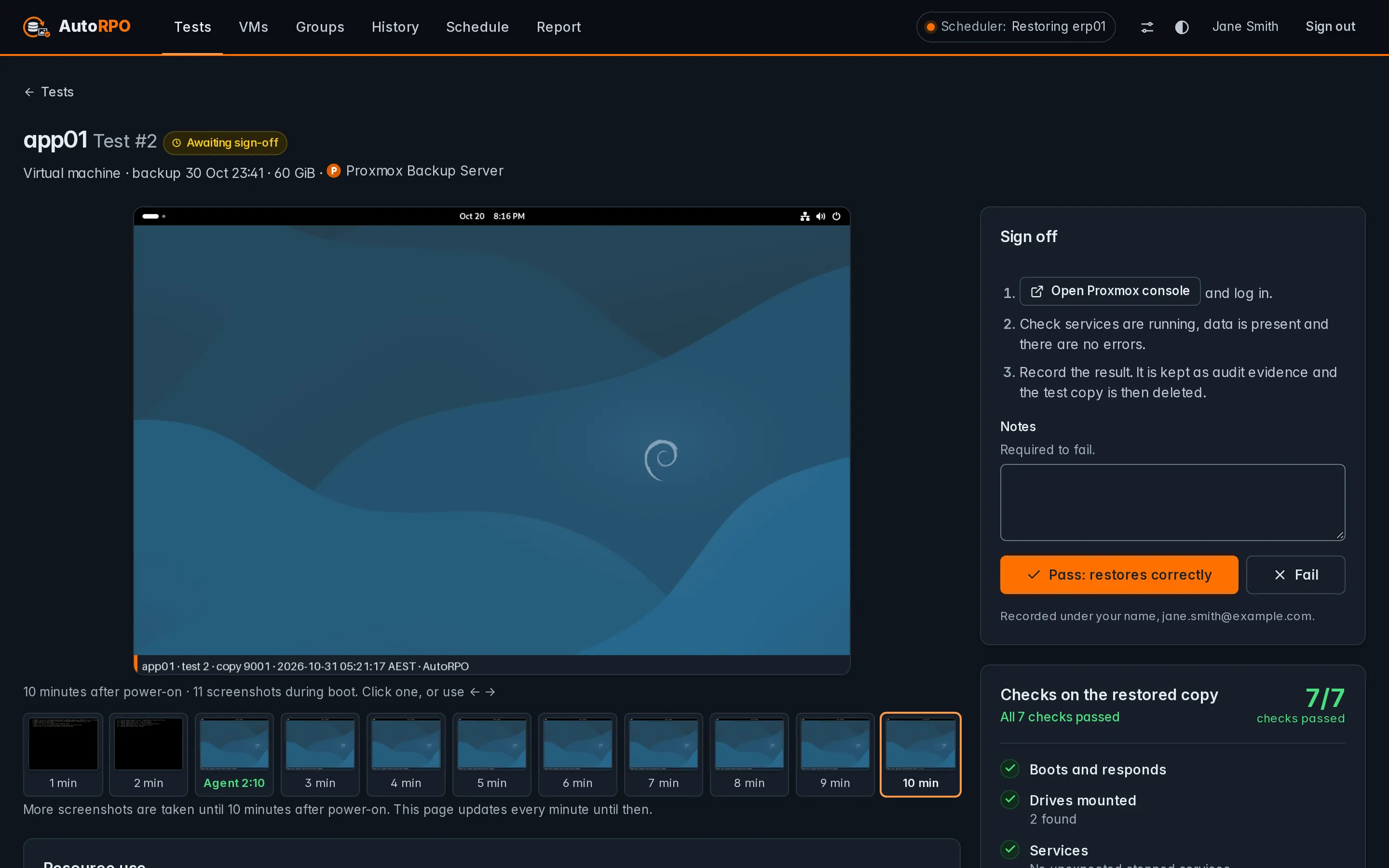
A finished job isn’t a restore.
Jobs don't prove restores.
A finished job doesn't show the VM boots or its database opens.
Verify checks data only.
PBS verify finds damaged chunks but starts nothing. Use both.
AutoRPO does the drill.
Every VM restored and checked between your backups, without anyone having to remember.
PBS verify jobs vs restore tests · How to test Proxmox backups by hand · Hyper-V backups too
How AutoRPO runs a Proxmox restore test
It tests your VMs and containers one at a time, or a whole service at once with restore groups, in the windows between your backup jobs, and starts each restore only when it should finish before the next backup run.
Isolated from your live systems
- Each test copy runs cut off from your network, so it can’t clash with the real server
- Test copies can’t reach your network or your production servers
- Only guests AutoRPO created, in its own VMID range, are ever deleted
Checks that the server works
- Boot screenshots for VMs, and the measured restore and boot time
- Services, disks and listening ports checked inside the copy
- SQL Server, PostgreSQL, MySQL and MariaDB, web servers, Docker, Samba and domain controllers; your backups are never changed
- Your own PowerShell or shell script inside the copy
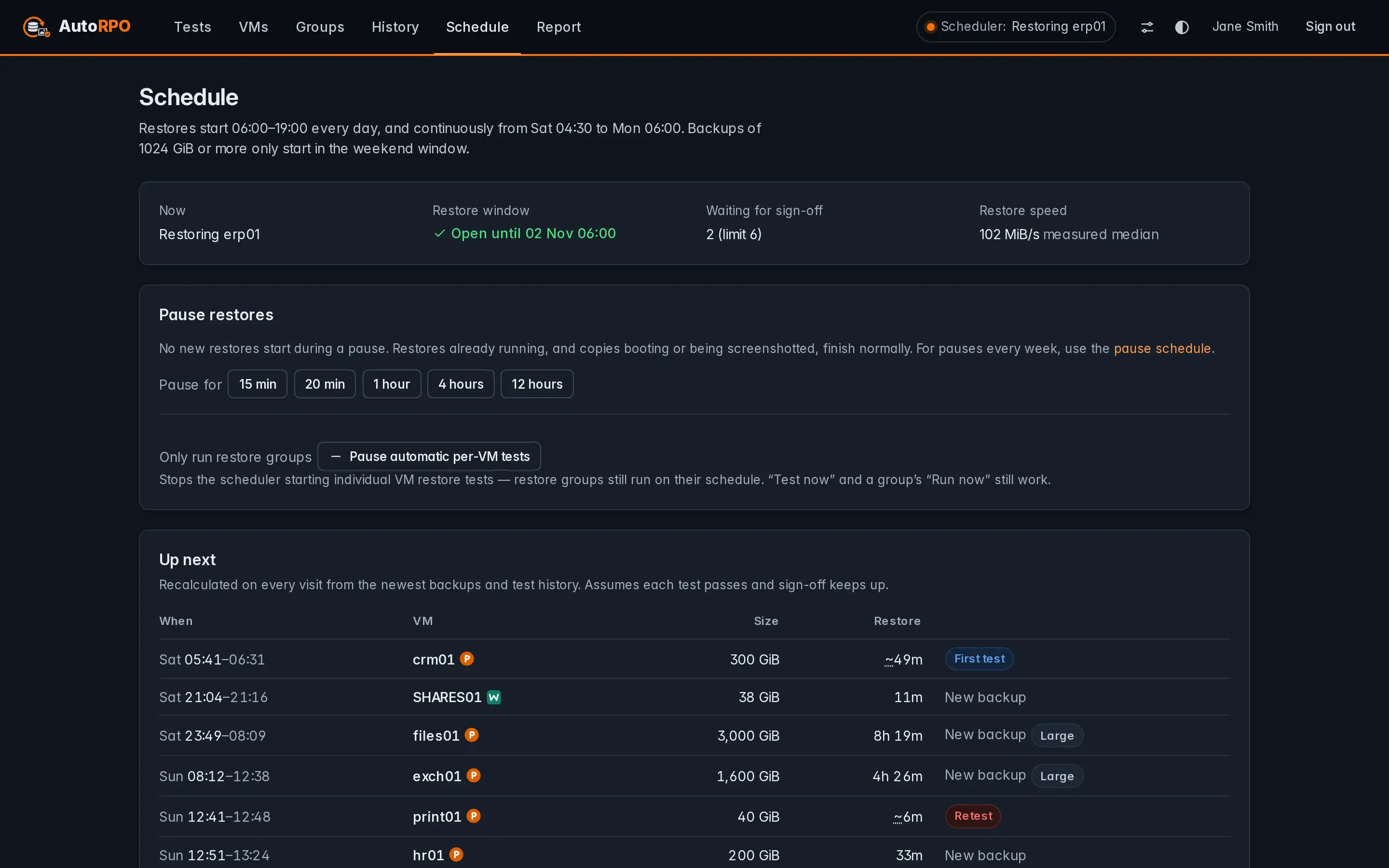
A monthly Restore Evidence Report
Every test, failure and fix, and every VM that wasn't covered, in a signed PDF made on your own host.
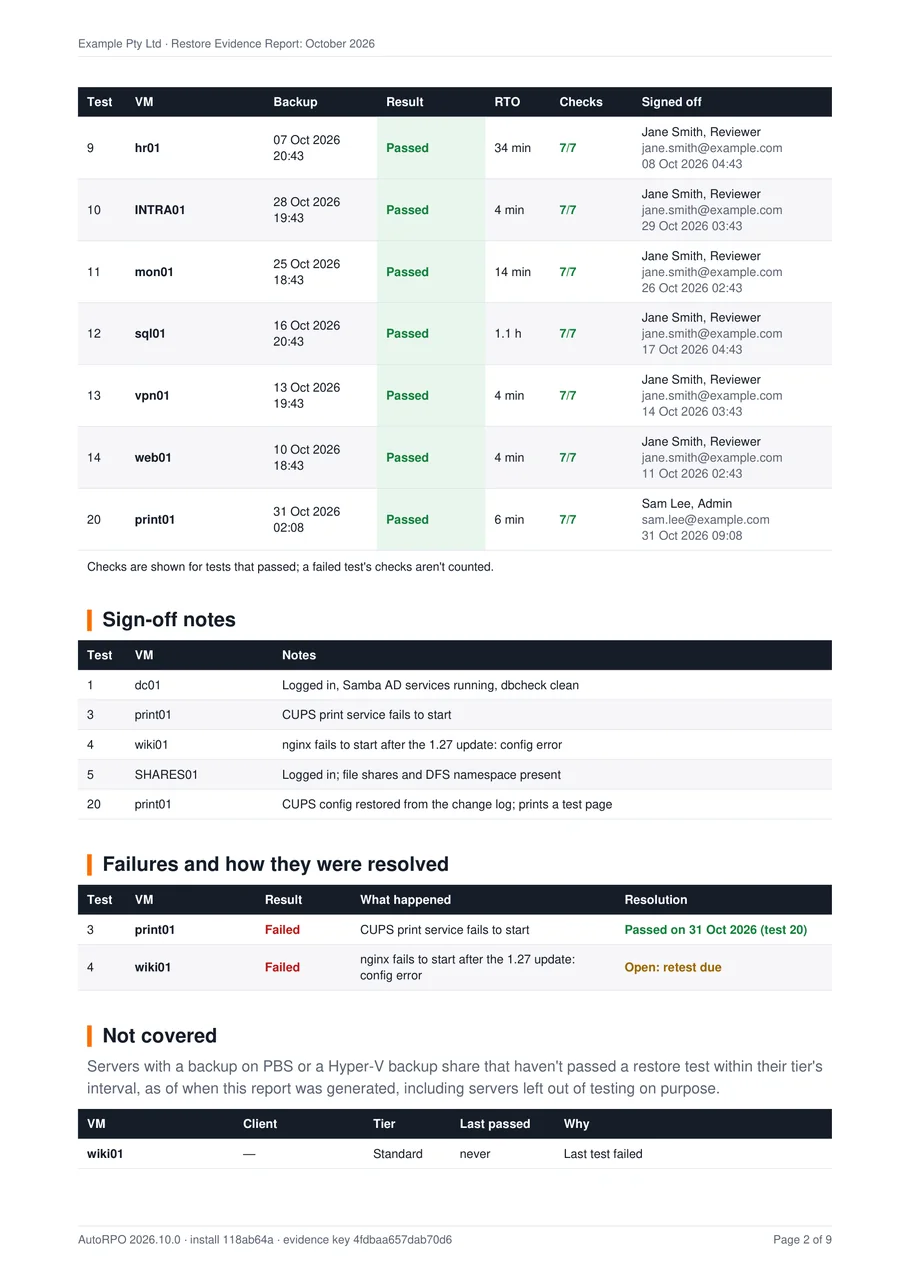
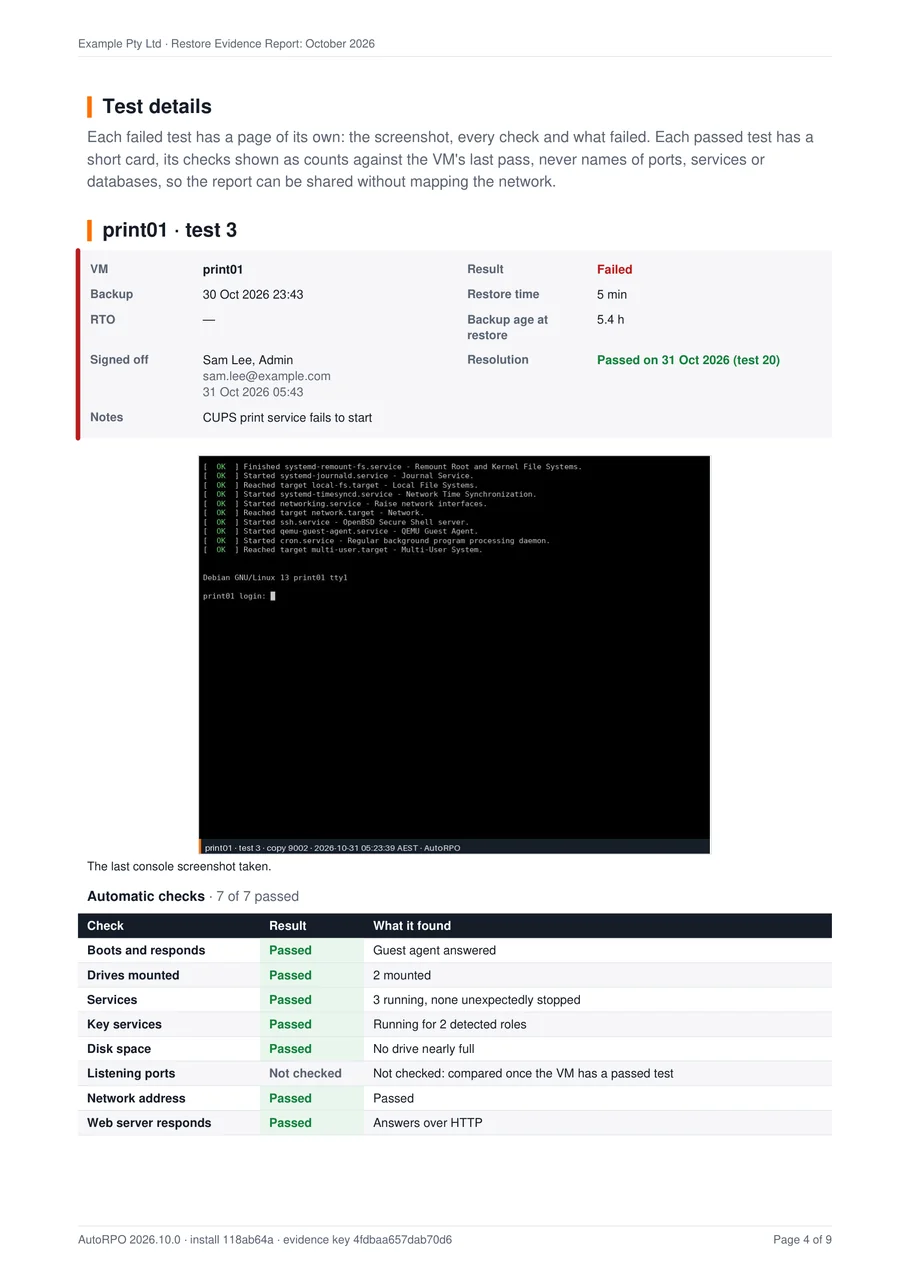
A signed Restore Evidence Report every month
- Which VMs were tested, when, and whether they passed
- What failed, and how it was fixed
- Which VMs weren’t tested, and why
- How old each backup was, and how long the restore and boot took
- A screenshot of each VM as it started up (for a container, a snapshot of its state)
- A digital signature: anyone can confirm it’s exactly the file your AutoRPO produced, with its signature file or by uploading it to your AutoRPO
Download a sample report (PDF) (from AutoRPO’s demo data, 9 pages)
It’s produced on your own host, not in the cloud. How the report works.
Preparing for an audit? How the report supports evidence for ISO 27001, SOC 2, the Essential Eight and APRA.
What you need
AutoRPO is software you install on your own infrastructure, not a cloud service.
- A dedicated, standalone Proxmox VE 9 host: a small server, a VM with nested virtualisation, or a cloud server
- 16 GiB memory recommended (8 GiB installs, but then lower the memory reserve)
- Storage for test copies: your largest VM or restore group, plus 100 GiB
- Proxmox Backup Server 4 (PBS 3 expected to work) on port 8007, or Hyper-V backups on an SMB share (port 445)
- A 1 Gbit/s network link to PBS minimum, 10 Gbit/s recommended
Questions
Isn't a PBS verify job a restore test?
Does AutoRPO need its own Proxmox host?
Can it test LXC containers?
Can it change or delete my backups?
How often is each VM tested?
Can it test servers that depend on each other?
Does it run on-premises?
Can our monitoring see the results?
Does a person still need to look at each test?
Start restore-testing your Proxmox backups
Limited pre-launch trials are open now: apply on the waitlist form.