
Restore testing that runs itself
Every VM restored, checked inside and timed, with a signed report each month. Your team only confirms the result. Every paid edition has everything on this page; the free Community edition leaves out RPO/RTO tracking and evidence reports.
Works with the backups you already have
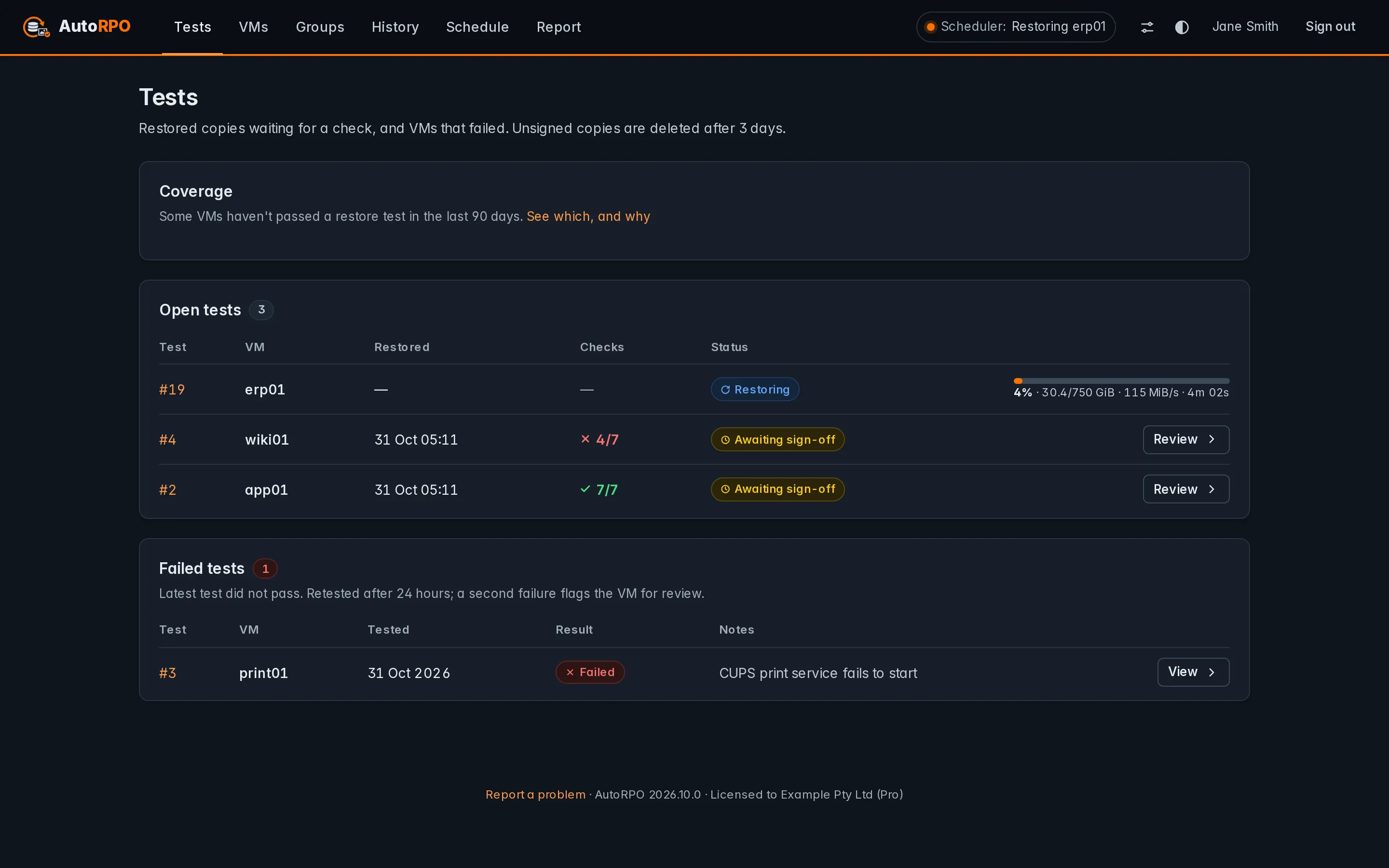
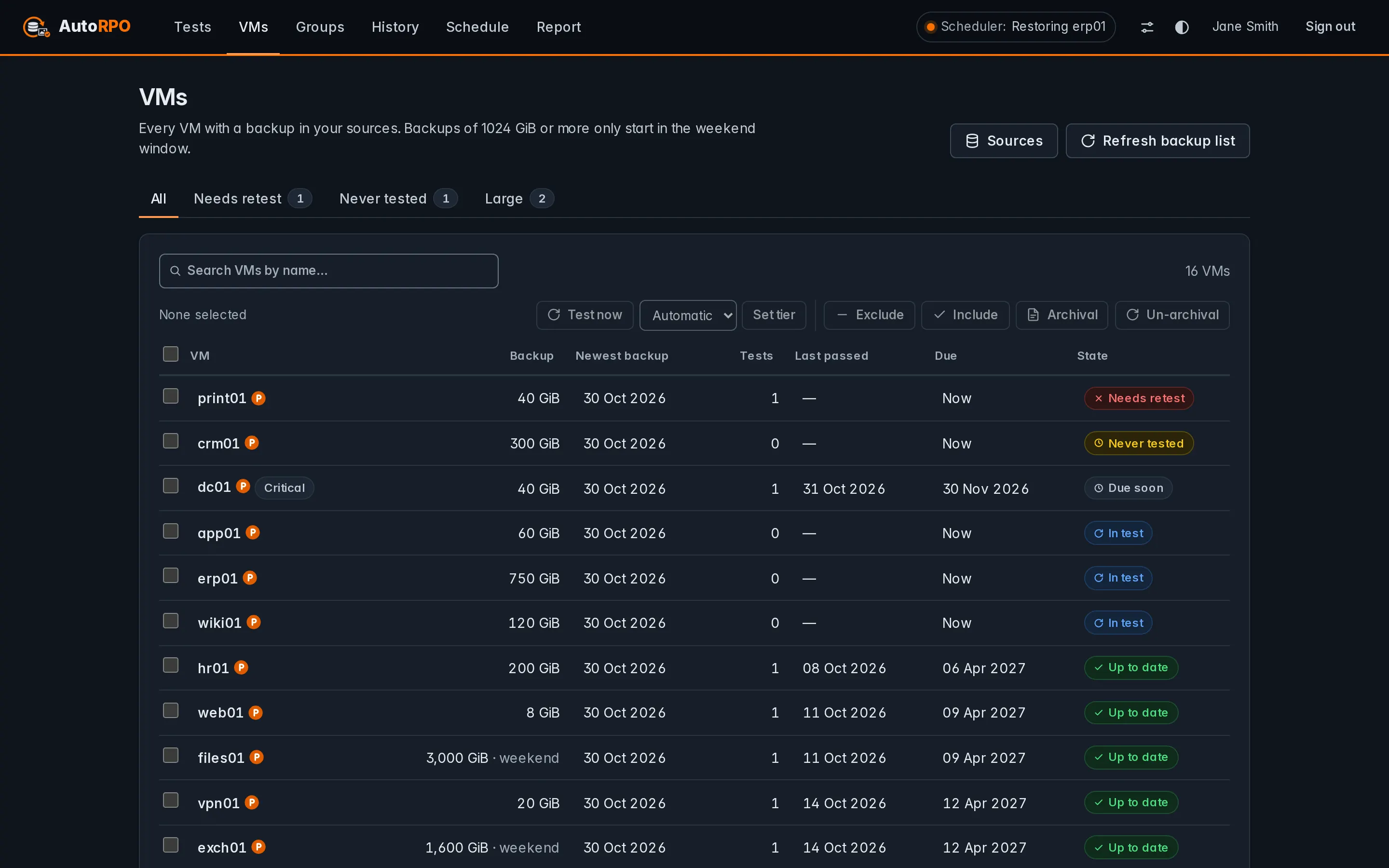
Point AutoRPO at your Proxmox Backup Servers or Hyper-V backup shares and choose what to test. There's nothing to change in your backup jobs.
- Connect as many Proxmox Backup Servers as you like (tested with PBS 4; PBS 3 is expected to work), and pick datastores and namespaces from a tree
- AutoRPO only needs read access. Paste a read-only token, or let it create one and check the permissions for you
- Hyper-V VMs too: Windows Server Backup or Hyper-V exports on a file share, which AutoRPO mounts read-only
- Tests VMs and LXC containers, Linux and Windows
- Set up your own tiers, such as Critical, Important and Standard, each with its own test interval and RPO and RTO targets, so the most important VMs get tested most often
- Encrypted backups are tested too, once you upload the key
A server that starts isn’t the same as a system that works
One server can come back fine and still be no use if the servers it relies on don't. Pick the servers that make up one service, like your domain controller, database and the app that uses them. AutoRPO restores them as a group, tests that they work together, and someone on your team signs off the result.
- Every server still gets its own regular test as well
- Each group has its own recovery-time target, and the monthly report shows how long the whole service took to come back
Never in your backups’ way.
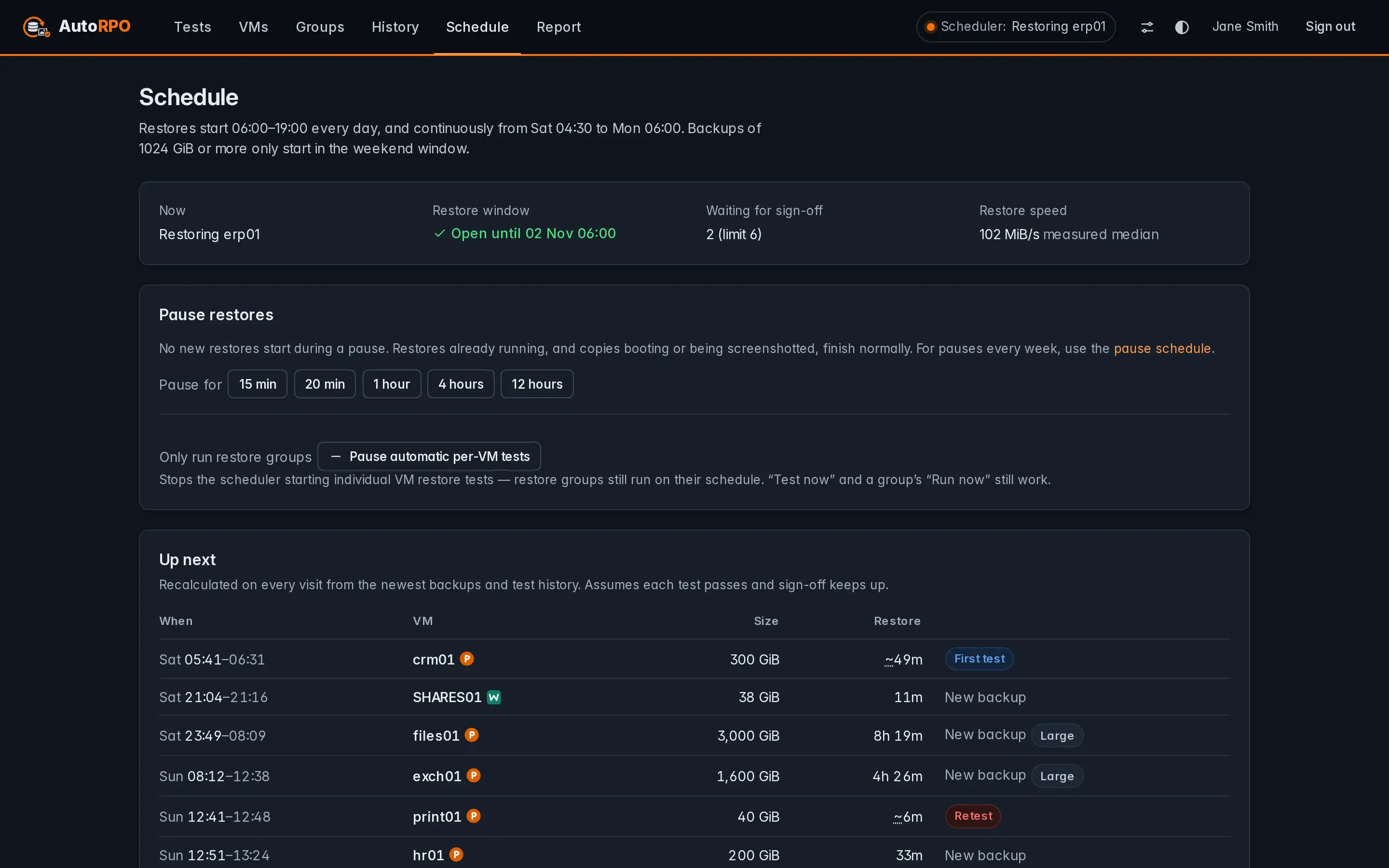
A restore only starts when it should finish before your backups begin, and failures and overdue VMs go first.
- One restore at a time. A restore only starts when it's expected to finish before your next backup run
- The largest backups wait for the weekend window, when there's time to restore them
- Each tier sets the longest a VM may go without a passing test: by default Critical 30 days, Important 90 and Standard 180
- Testing pauses while PBS is verifying, and you can set weekly quiet times
- Failures are retested promptly, and untested and overdue VMs come next
- A VM that fails twice is flagged for someone to look at, rather than retried forever
Isolated from your live systems
Test copies can't reach your network, because they're created cut off from it. Restores do read from PBS and use network bandwidth, so they run between your backups.
- Every restored VM starts on an isolated network with no route out, so it can't clash with the real server
- Test copies can't reach your network or your production servers
- AutoRPO runs on its own host, and only ever deletes the test copies it created
- It can read your backups but can't change or delete them
Checks that a server actually works
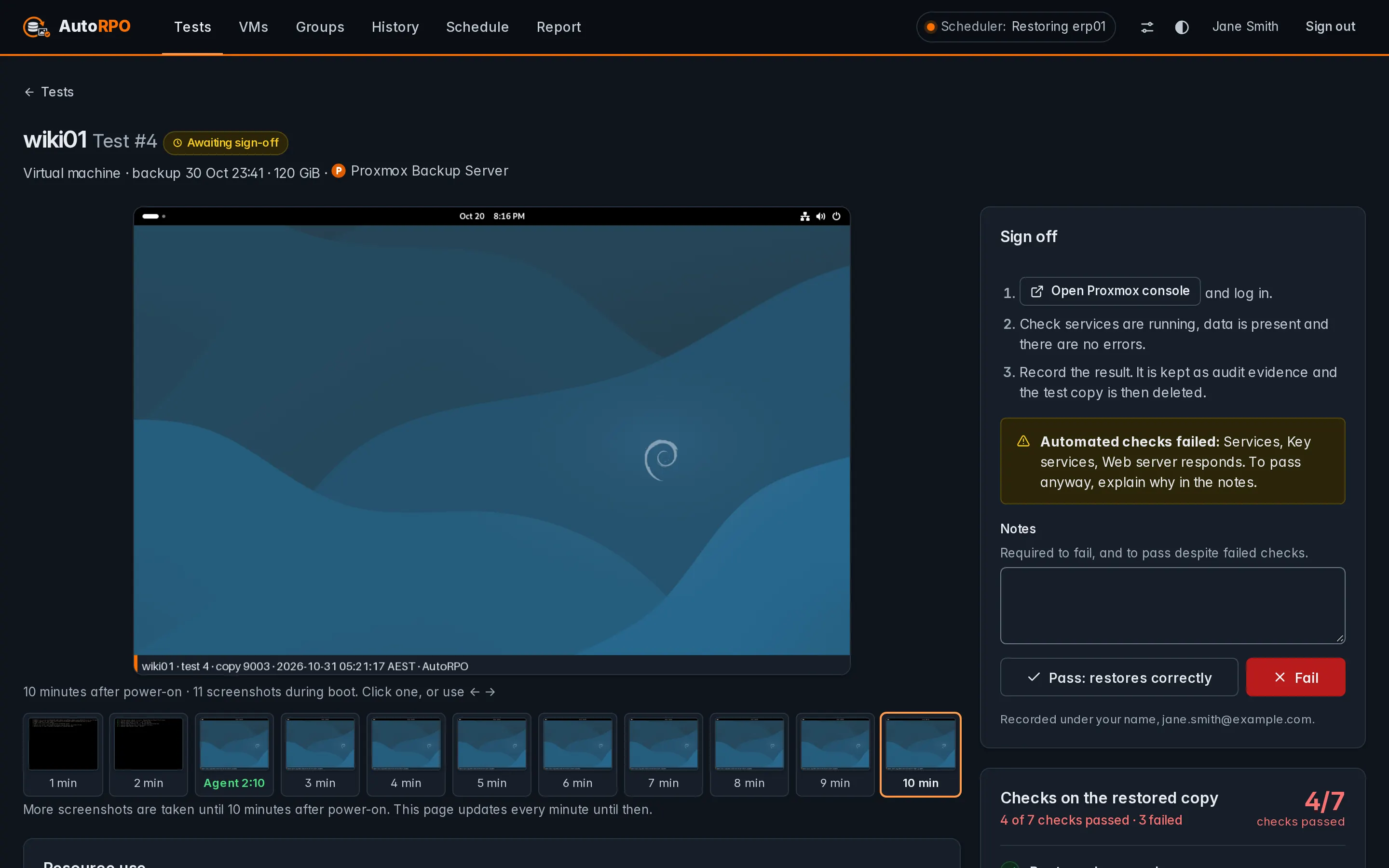
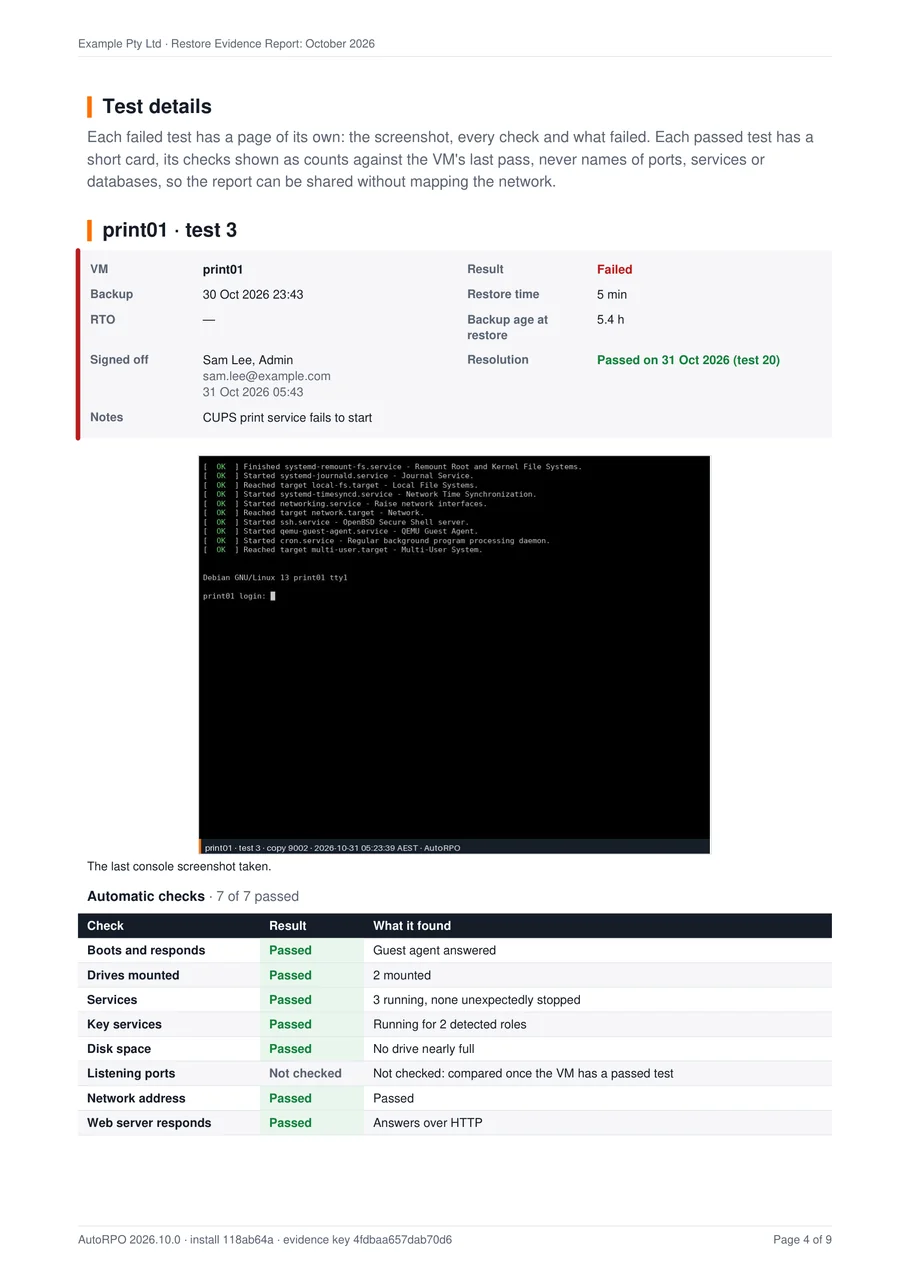
Starting up isn't enough. AutoRPO looks inside each copy, then a person on your team makes the final call.
- Confirms Windows and Linux services are running, disks are there and the expected ports are open
- Checks SQL Server, PostgreSQL, MySQL and MariaDB databases open, web servers respond, Docker apps are healthy, Samba answers and domain controllers are healthy; your backups are never changed
- Finds damaged databases, file system errors, changed system files and expired HTTPS certificates, and reads apps' own health pages
- Runs your own PowerShell or shell script inside the copy, and takes screenshots of each VM as it boots
- Someone opens the copy in the Proxmox console and marks it as passed or failed, which is what auditors want to see
- Optional automatic sign-off for tests whose checks all passed, marked as automatic in reports and counted separately
- Lists every VM that hasn't been tested recently, and the reason
Proof anyone can verify.
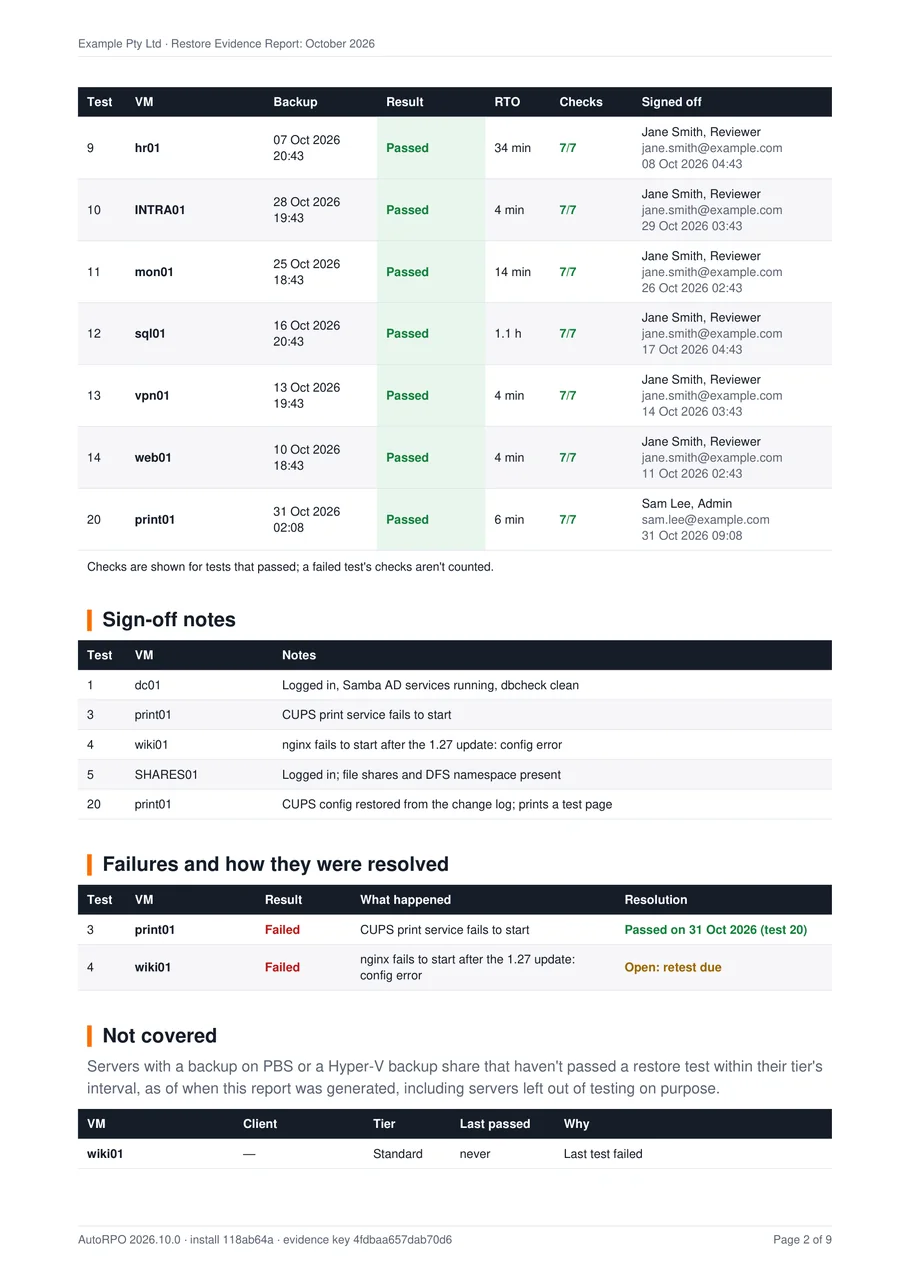
A signed monthly report: every test, failure and fix, and every VM that wasn’t tested.
- How old each backup was when it was tested, and how long a restore really took, against the targets you set
- Reports by month and by client
- A signed Restore Evidence Report (PDF) each month listing every test, every failure and its fix, and every VM that wasn't covered
- Anyone can check a report is exactly the file your AutoRPO produced, with its signature file or by uploading it to your AutoRPO
Alerts that name the fault.
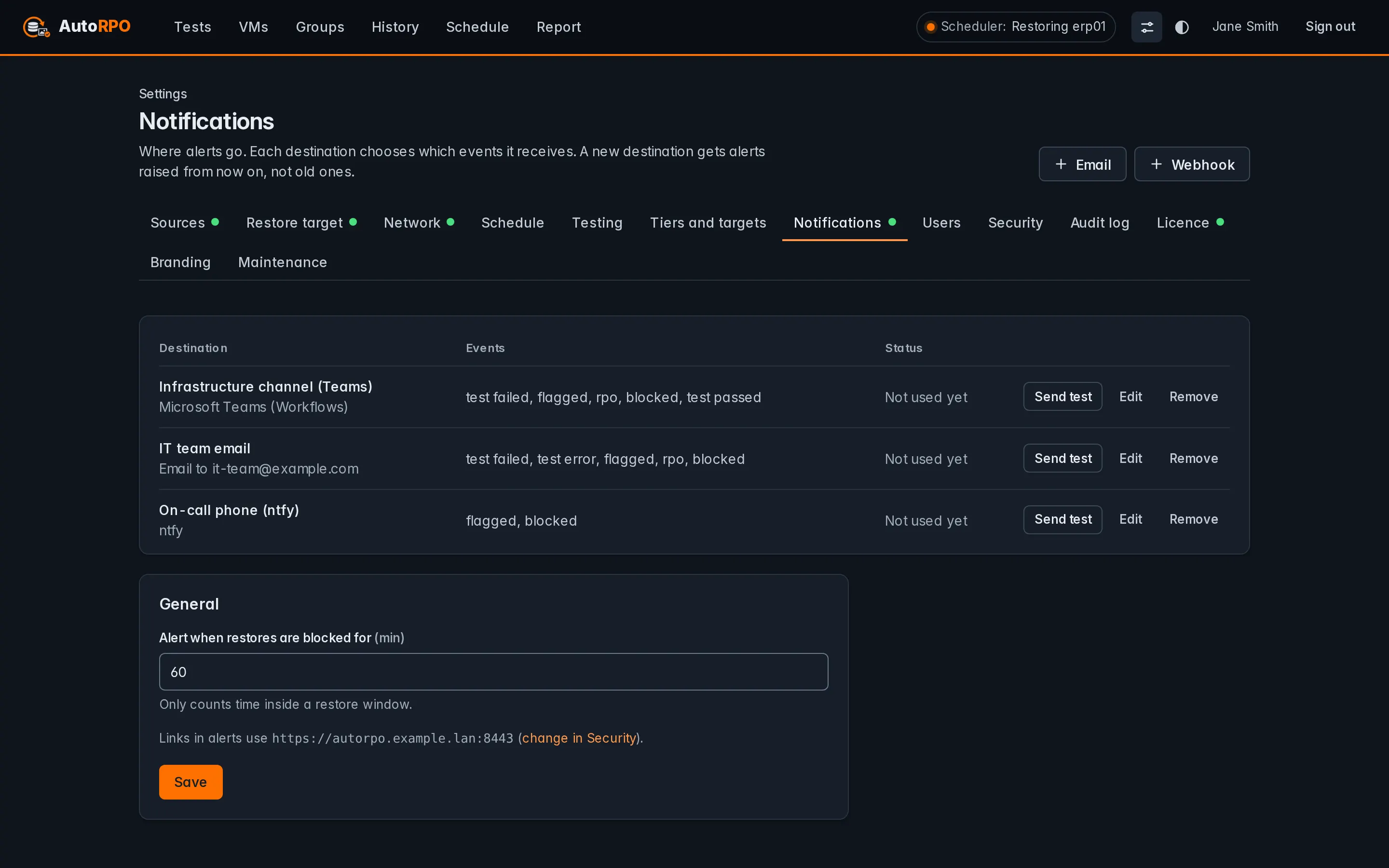
Each alert names the check that failed, so the right person knows what to fix.
- Email, Microsoft Teams, Slack, Discord, phone notifications through ntfy, or a webhook to your ticketing system
- Each destination chooses which events it hears about, and can be limited to particular clients
- A read-only API on each install, so your monitoring or RMM tools can pull status and results
- A nightly backup of AutoRPO's own settings and history, which you can restore onto a rebuilt host
- An optional daily copy to S3-compatible storage, with Object Lock if you want it
- Updates through apt; AutoRPO only restarts onto a new version once no restore is running
- Security fixes install automatically at a time you choose, or turn on every stable release, or turn it off
Questions
Doesn't PBS already verify my backups?
Will testing slow my backups down?
How long does a test take?
Who signs tests off?
Can I test Windows servers?
Could a restored server talk to my production network?
Does it work with Hyper-V?
How is this different from an on-demand restore test service?
Can I run AutoRPO in the cloud?
Why can't it run on a cluster node?
What can AutoRPO delete?
Running AutoRPO for clients? See For MSPs. Security and privacy: Trust. For auditors: Compliance evidence. Doing it by hand: How to test Proxmox backups.
Try it on your own backups
Limited pre-launch trials are open now: apply on the waitlist form.