
Verification levels and application checks
Booting isn't proof that a server works. AutoRPO checks each test copy from the inside, at the level you choose per VM (on the VM's page, under Verification).
Levels #
| Level | What passes |
|---|---|
| Boots | The copy boots. Console screenshots only; AutoRPO doesn't wait for the guest agent. |
| Guest agent | The QEMU guest agent (or container) answers. |
| Health checks (default) | Checks inside the VM that its services, drives, ports and server roles are as they should be, and records how many of them passed. Includes the application checks below. |
| Health checks and script | Everything above, plus your own script. |
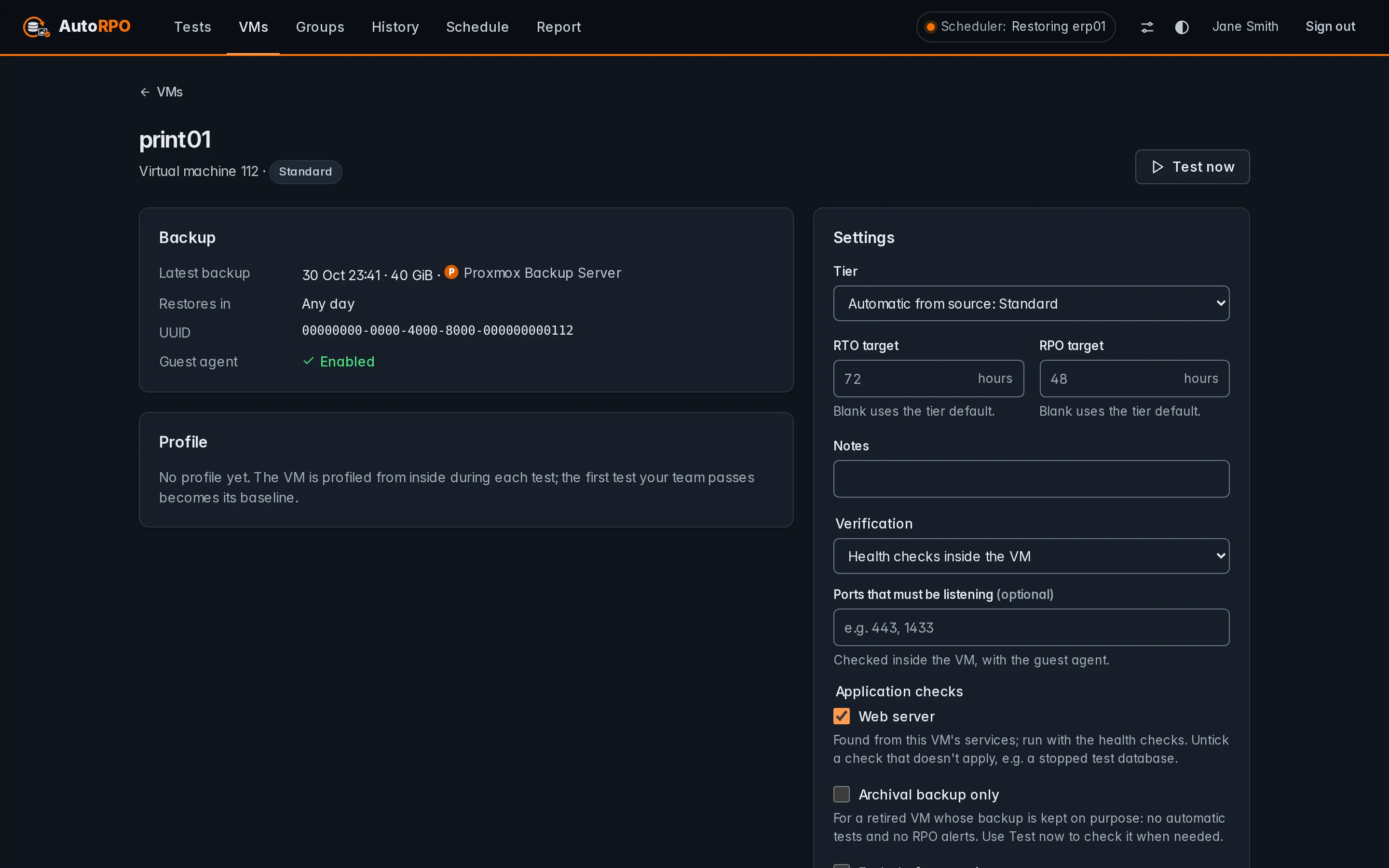 Each VM chooses its verification level
At any level you can list TCP ports that must be listening inside the copy.
Console screenshots are taken while the copy boots, and go into the test record and the Restore Evidence Report.
Application checks #
With the health checks, AutoRPO checks the applications it finds on the copy. Every check runs inside the isolated copy, so no network access is needed. Checks are read-only and run on a throwaway copy.
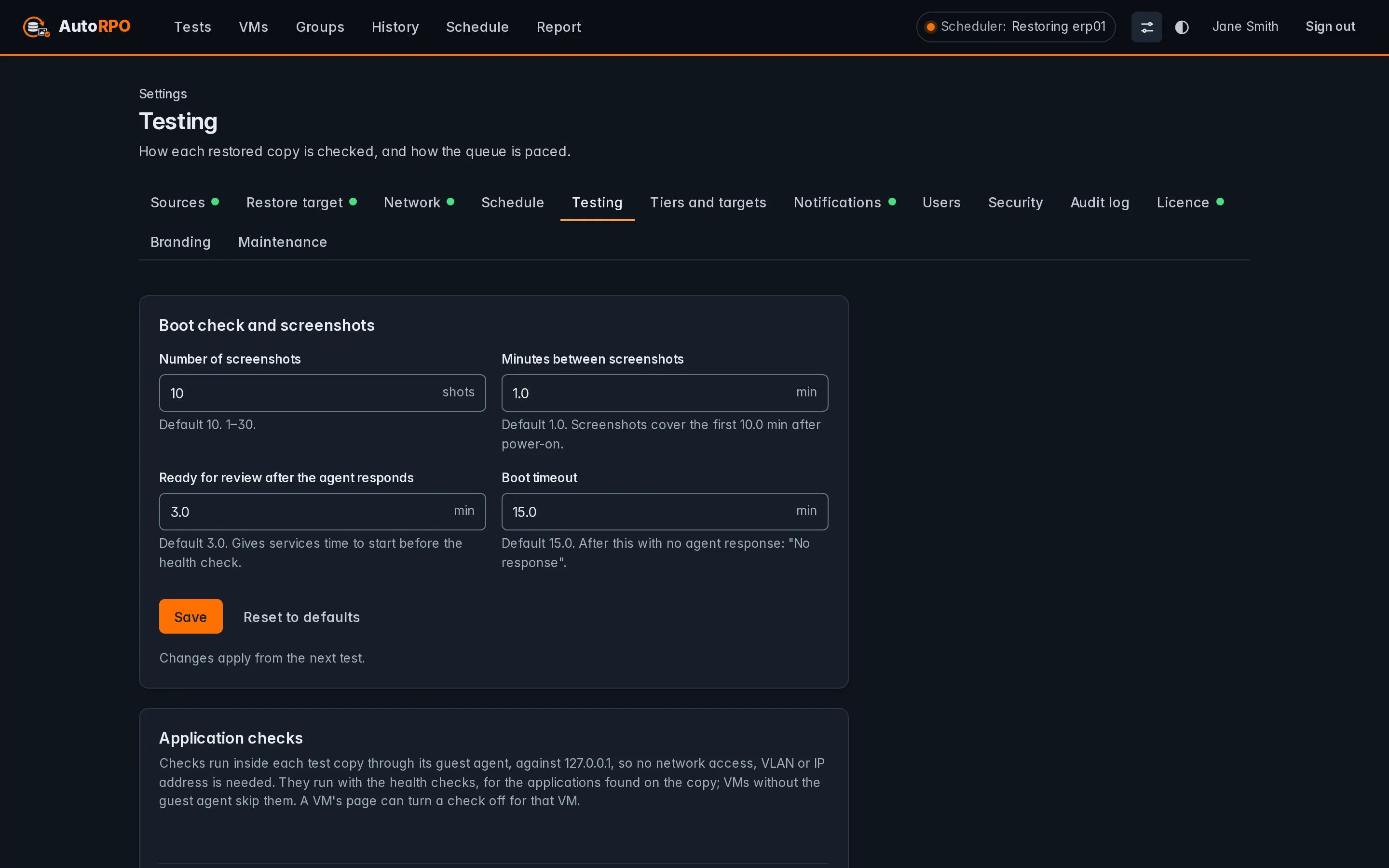 Settings → Testing
| Application | What's checked |
|---|---|
| Docker | Your containers are up and healthy |
| Web servers | The web server answers as it did before, and any HTTPS certificate is in date |
| SQL Server, PostgreSQL, MySQL and MariaDB | Every database opens, its tables are there and none has been emptied. Read-only: no rows are read. A separate integrity check has the database scan its own tables and indexes for damage; AutoRPO sees only the result, never the data |
| Domain controllers | Directory services are healthy |
| Samba | File sharing is working |
Turn checks on or off and set web ports under Settings → Testing → Application checks. Individual checks can be switched off per VM.
What's checked on Linux #
At the Health checks level, every Linux copy gets these checks, and each one is a row in the test result. Checks for something the copy doesn't have are skipped: a server with no web server gets no web row.
| Check | What it catches |
|---|---|
| Boots and responds | A copy that doesn't start, or doesn't answer in time |
| Network activity | A copy that never reached its network: stuck in the firmware, the boot loader or an emergency shell |
| Network address | No IP address, so a DHCP server needs restoring first; an address changed since the last passed test is flagged Needs a look |
| Services | Services set to start automatically that failed or aren't running |
| Key services | The server's main roles not running: SSH, web server, database, Docker and so on |
| Listening ports | Ports open at the last passed test that aren't open now |
| Disk space | A drive over 95% full, or out of inodes |
| Drives mounted | A drive listed in /etc/fstab that isn't mounted |
| Filesystem errors | Damage the filesystems or the kernel recorded, including repairs made at boot |
| Package files | Packages left half-installed, and program files that no longer match their package (dpkg or rpm) |
| Web server responds | A web port giving an error it didn't give before, such as 403 or 500 |
| HTTPS certificate | An expired certificate fails; one expiring within 14 days is flagged Needs a look |
| Health address | An app whose health page (such as /healthz) said healthy before and doesn't now |
| Docker containers and ports | Containers that were running and aren't, and published ports that don't answer |
| Databases | PostgreSQL, MySQL and MariaDB: a database or table that's gone, or a table that's now empty |
| Database integrity | Damaged tables or indexes, found by the database's own integrity check |
What AutoRPO can't judge is the content of your own data files. A file your application rewrote is valid to the filesystem, and only the application knows if it's right. For those, add a custom script.
How database checks sign in #
AutoRPO stores no database passwords. Each check signs in inside the copy with its local account: Windows
sign-in for SQL Server, the local postgres user for PostgreSQL, and MySQL's local root login. A database that
account can't open shows as not checked, never as a failure, and the result says what access it needs. SQL
Server's integrity check needs sysadmin.
VMs without the guest agent skip the checks that need it. Hyper-V VMs can have it too: install it before their backups run (Hyper-V sources).
Custom scripts #
At the Health checks and script level, AutoRPO runs your script inside the isolated copy through the guest agent:
- Linux:
sh, as root. Windows: PowerShell, as SYSTEM. - Exit code 0 passes; anything else fails, and the output is kept with the test.
- Up to 5 minutes.
- Test details are passed as environment variables:
| Variable | Value |
|---|---|
AUTORPO_TEST_ID |
The test's number |
AUTORPO_VM_NAME |
The VM's name |
AUTORPO_VMID |
The original VM's ID |
AUTORPO_BACKUP_TIME |
When the backup was taken |
Name, version and time limit #
Optional comment lines at the top of the script set the name shown in the test result, a version, a one-line description and its own time limit (1 to 300 seconds):
#!/bin/sh
# name: Orders are recent
# version: 3
# description: The newest order is no more than 2 hours older than the backup.
# timeout: 60
Every result names the script and its version, so a test record shows which script judged it.
Several results from one script #
A script can report up to 20 named results on one line, and each becomes its own row in the test result:
AUTORPO-RESULT: {"version": 1, "checks": [{"name": "Table orders", "status": "fail", "detail": "603 rows, fewer than the 900 expected"}]}
status is pass, fail or skip. Any fail, or an exit code other than 0, fails the script. Without this
line, the exit code alone decides.
Four tested examples (recent data, table sizes, data files, an app's API) are in Custom script examples. The VM page has starter templates, and Run script now on a test waiting for sign-off tries your script on that copy.