
Restore target and isolated network
Restore target #
Under Settings → Restore target choose:
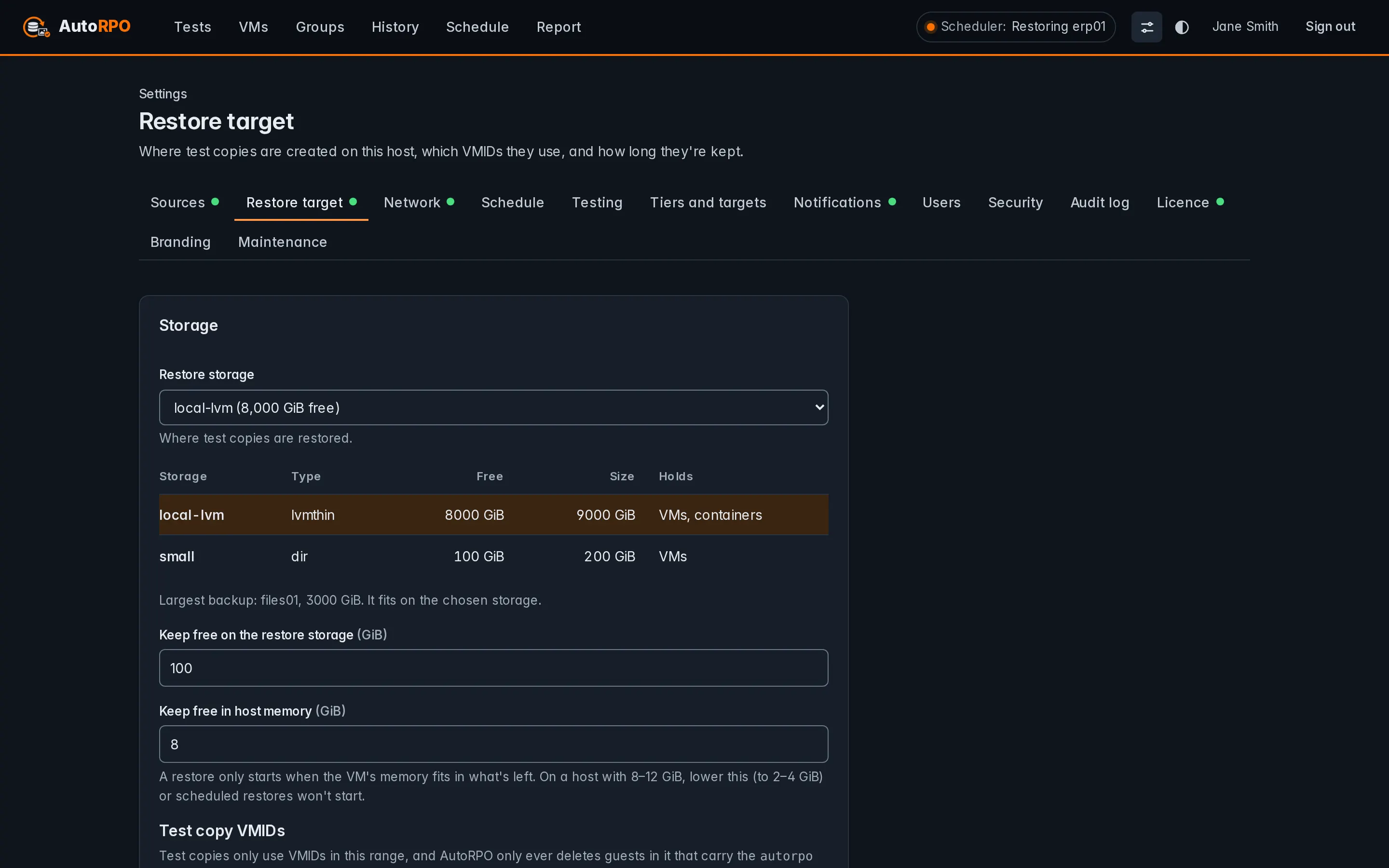 Settings → Restore target
- Storage for test copies: the host's storages that can hold VM disks and container filesystems, with free space and whether your largest backup fits.
- Test VMID range (9000 to 9999 by default). Any other guests already in the range are listed.
- Reserves of disk and memory to leave free: Keep free on the restore storage (100 GiB by default) and Keep free in host memory (8 GiB by default). A backup is only restored if it fits after these. On a host with 8 GiB of memory (the minimum), lower Keep free in host memory, or no restore will fit; 16 GiB or more is recommended.
- Restore timeout (12 hours by default), and how long an unsigned copy is kept (3 days by default).
- Limit restore reads from PBS to (no limit by default), to leave bandwidth for your backups.
- Proxmox web address, for console links on test pages.
If the chosen storage is shared with other hosts, you're warned: a storage only this host uses is the safe choice.
The isolated network #
Test copies connect only to an isolated bridge: a Linux bridge with no physical port and no host address, so a restored server can't reach your network and nothing on your network can reach it.
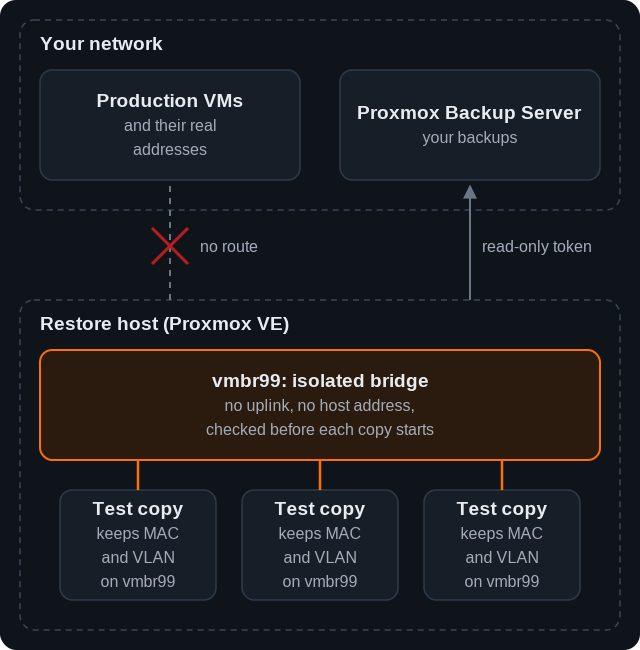 Test copies only ever sit on the isolated bridge. AutoRPO reads your backups with a read-only token.
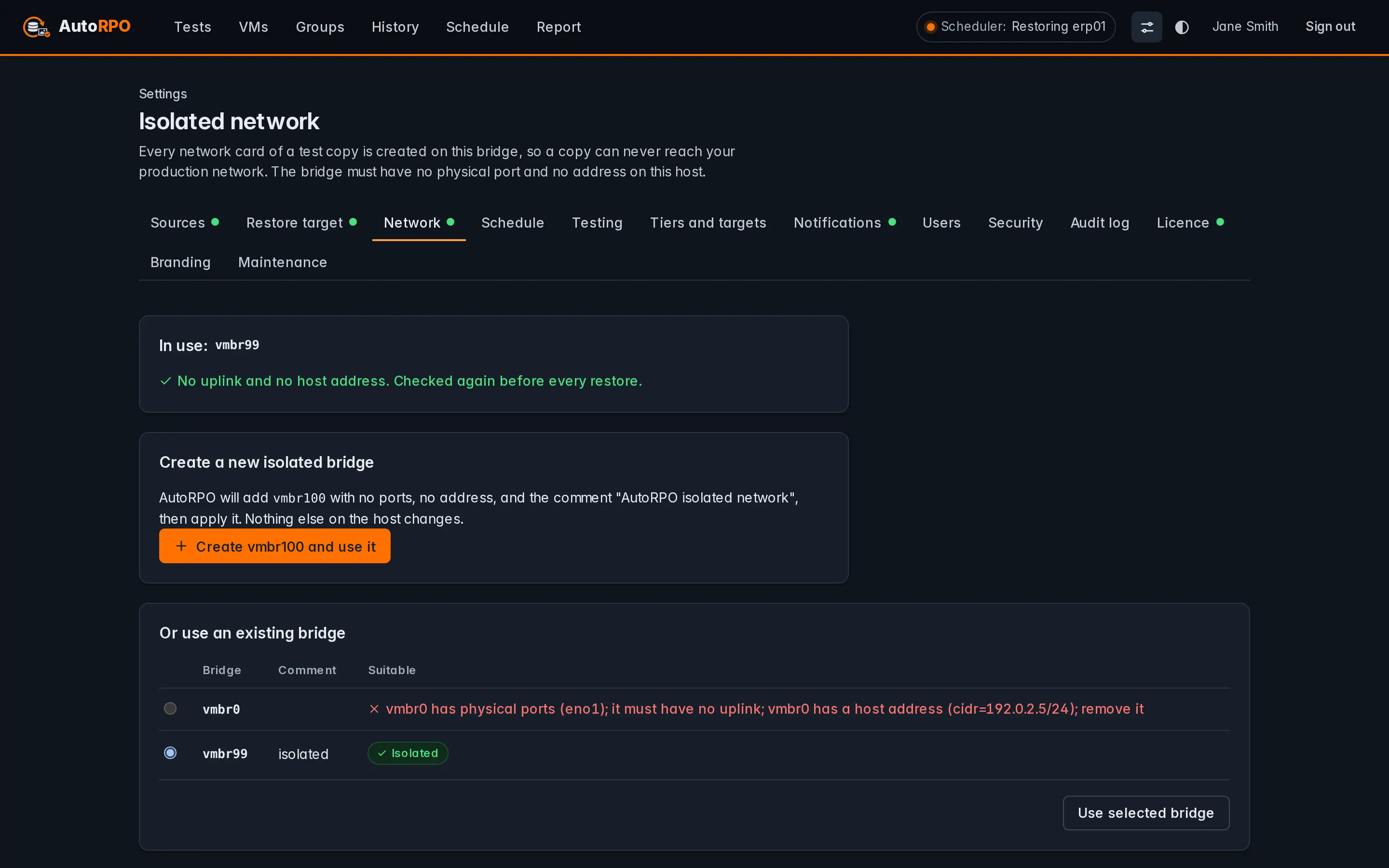 Settings → Network: the isolated bridge
Under Settings → Network:
- Create vmbr99 and use it makes
vmbr99(or the next free name) with no ports and no address. If other network changes are pending in Proxmox, AutoRPO refuses and explains why, because applying its change would apply yours too. - Use an existing bridge: it's checked for physical ports and host addresses, including one it could pick up automatically, when you save and before every restore. AutoRPO turns IPv6 off on the bridge.
How a copy is made safe #
Every test copy is created already isolated: from the moment it exists its network cards are on the isolated
bridge, it never starts with the host, and devices that belong to your production hosts (passthrough hardware,
mounted ISOs) aren't carried over. It keeps the original's network identity, which the guest's own static settings
and any DHCP reservations rely on; a duplicate can't clash, because the bridge has no uplink. Every copy is tagged
autorpo, sits in the test VMID range, and is confirmed to be on the isolated bridge before it starts.
AutoRPO only ever deletes guests in its VMID range that are tagged autorpo (or that it recorded creating there). It only changes its
own storage entries and its own bridge. Cluster members are refused, so test copies can't appear in a
production cluster.
If test copies are on different subnets (for example two domain controllers on separate VLANs), AutoRPO adds a temporary router inside the isolated network that answers on their usual gateway addresses, so they reach each other as in production. It has no route out and is gone when the copies are.
Domain controllers and duplicate addresses #
A test copy keeps the original's IP address, host name and domain identity, because that is what you're testing. It can't clash with the real server:
- Nothing else can see it. The isolated bridge has no uplink, no host address, no route out and no DHCP server, so the copy and the original are never on the same network, and a duplicate IP or host name never meets the real one.
- A restored domain controller never replicates with production. It can't reach your real domain controllers, so it never sends them changes or receives theirs. USN rollback and other problems from bringing back an old domain controller only happen when the copy rejoins the real domain, and a test copy never does: it is deleted after sign-off.
- It can't send anything out. It has no route to email, the internet or your other servers.
Because the copy is cut off, expect some messages a real outage wouldn't show, such as a domain controller logging that it can't reach its replication partners. The checks allow for this: for example, the domain controller check leaves out the tests that need replication partners.
Group tests need static addresses #
The isolated network has no DHCP server. A single VM's own checks don't need one. But a restore-group test, which checks that the members of a system work together (for example a web app and its database), needs each member to have an address on the isolated bridge.
So for VMs you test together as a group:
- Give each member a static address — set a static IP inside the VM, or, for a container, in its
net0configuration (ip=...instead ofip=dhcp). Because the copy keeps its network identity (above), that static address comes up on the isolated network and the group test can check the members work together. - A DHCP-addressed VM boots but gets no address in the sandbox — its DHCP server and reservations aren't there — so links that depend on reaching it can't pass. AutoRPO flags such a copy as relying on DHCP, so you can see which members need a static address.
This is also sound disaster-recovery practice: a server that only gets its address from DHCP won't come back on its own if the DHCP server is caught in the same outage.
To see exactly what AutoRPO adds to the host and to PBS, see What AutoRPO changes on your host.