
Schedule
AutoRPO tests continuously, one restore at a time, but only starts a restore when it should finish before your backups begin. Open Settings → Schedule.
Restore windows from your backup times #
Tell AutoRPO when your backups run, for example "My backups run from 19:00 to 04:30", and which nights have no backups. It works out:
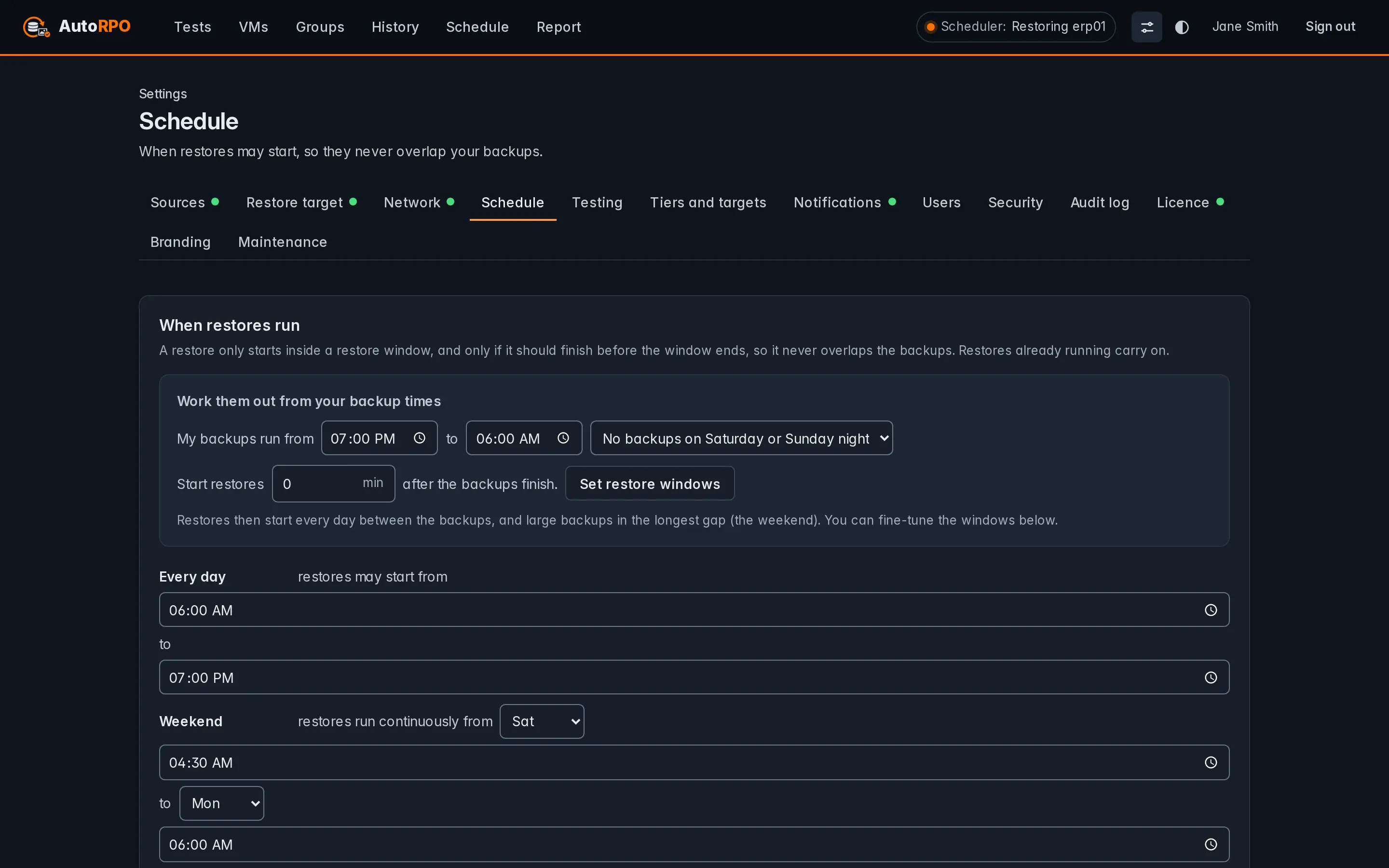 Settings → Schedule
- a daily window between the end of one backup run and the start of the next, with an optional buffer after the backups finish;
- a weekend window across the nights without backups, for large backups that need longer.
In setup, the backup times are filled in from your newest backups in PBS. The result shows on the week timeline and can be fine-tuned. AutoRPO only starts a restore it expects to finish before your backups begin, and saves Large backups (1024 GiB or more by default) for the weekend window.
Pauses #
- Weekly pauses, for example during month-end processing. A restore won't start if it would still be running when a pause begins.
- While PBS is verifying. Restores don't start while any of your PBS servers is running a verify job; AutoRPO checks again every 5 minutes. A PBS that can't be reached holds back only restores from its own datastores.
- While tests wait for sign-off. New restores pause while 6 tests (by default) are waiting for sign-off.
On redundant storage with regular scrubs (ZFS mirrors, for example), PBS verify jobs can skip already-verified snapshots and re-verify every 60 to 90 days. That removes most verify I/O, and most of AutoRPO's pauses, while keeping PBS's missing-chunk check.
What runs next #
AutoRPO decides what to test next for you. Failed tests are retested first, against the next backup and at least a day later; then VMs never tested, then VMs overdue for their tier (higher tiers become overdue sooner). An overdue restore group, or one you run now, goes ahead of single VMs.
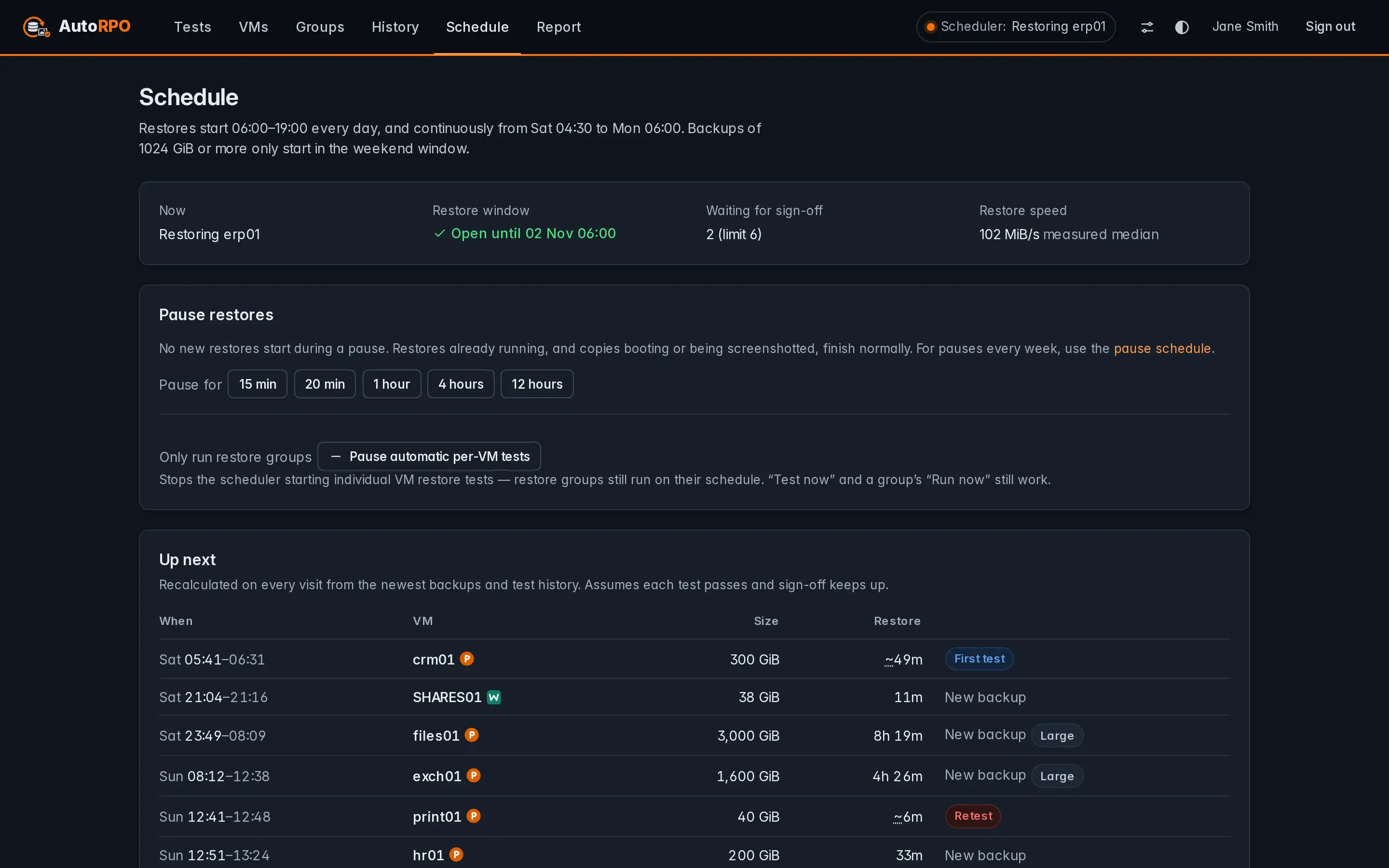 The Schedule page: windows and what runs next
Each backup is tested once. When every VM's newest backup has a result, AutoRPO waits for new backups. A VM that fails twice is flagged and taken out of the queue until someone reviews it.
Over a licence's VM limit, the highest-priority VMs are tested (your top tier first) and the rest show Over licence limit on the VMs page. Nothing stops and nothing is deleted.