
Monitoring with Zabbix
Two Zabbix templates bring AutoRPO's results into Zabbix:
- AutoRPO by HTTP alerts when AutoRPO itself has a problem, such as failed tests or restores being blocked.
- AutoRPO VM by HTTP shows each server's last restore test, its result and the next test date on the server's own Zabbix host.
Both only read from AutoRPO. They can't start, change or sign off a test.
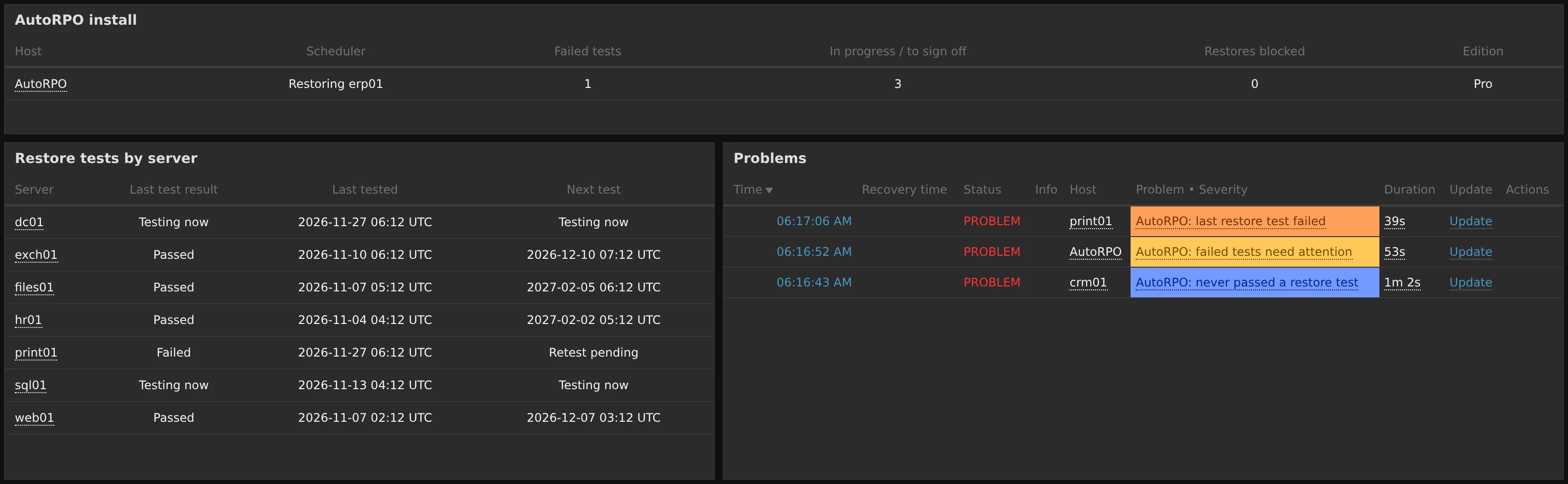 An example dashboard built from the templates' values
The templates don't include a dashboard. The screenshots on this page show their values in Zabbix Top hosts widgets, with sample data.
Download the templates (one YAML file, Zabbix 7.0 or later), or:
curl -fLO https://autorpo.com/downloads/autorpo_zabbix_templates.yaml
Import the file under Data collection → Templates → Import.
Before you start #
- In AutoRPO, create an API token under Settings → Security → API tokens. Call it "Zabbix" so you can revoke it on its own later.
- In Zabbix, add two macros under Administration → Macros:
| Macro | Value |
|---|---|
{$AUTORPO.URL} |
AutoRPO's address, without a slash at the end, e.g. https://autorpo.example.lan:8443 |
{$AUTORPO.TOKEN} |
The API token. Set the type to Secret text. |
The Zabbix server (or proxy) must be able to reach AutoRPO's address.
AutoRPO by HTTP #
Add a host in Zabbix for the AutoRPO server, for example autorpo, and link this template to it. It checks
AutoRPO every 5 minutes and raises a problem when:
| Problem | Severity |
|---|---|
| Restore testing is blocked | High |
| The licence has stopped restore testing | High |
| AutoRPO has an error | Average |
| AutoRPO hasn't answered for 30 minutes | Average |
| A failed test is waiting for someone to deal with it | Warning |
| A VM has been flagged for review | Warning |
 The AutoRPO host's values
AutoRPO VM by HTTP #
Link this template to the Zabbix hosts for your servers, such as web01 and sql01. Once an hour it finds the
server in AutoRPO by name and adds three values to the host:
- AutoRPO: Last tested date
- AutoRPO: Last test result
- AutoRPO: Next test date
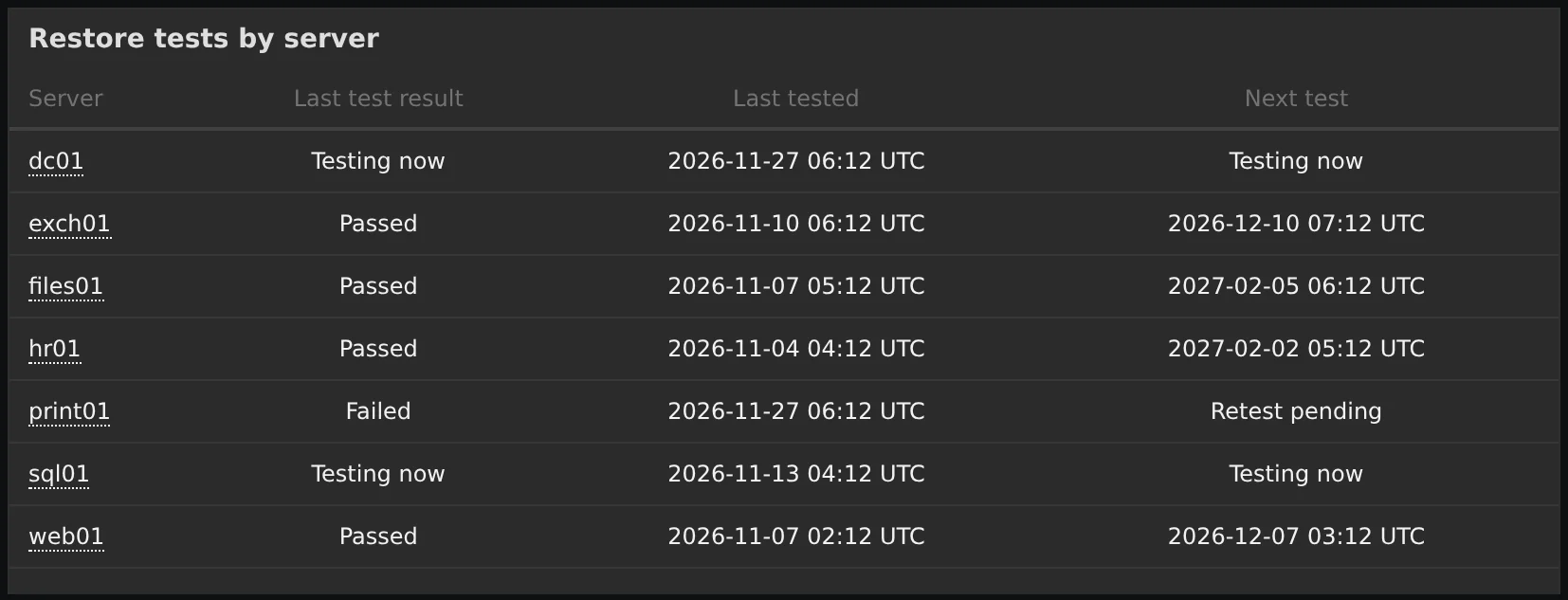 Each server's three values, one row per host
It raises a problem when:
| Problem | Severity |
|---|---|
| The last restore test failed | Average |
| The next test is overdue | Warning |
| The server has never passed a restore test | Information |
| More than one VM in AutoRPO has this name | Information |
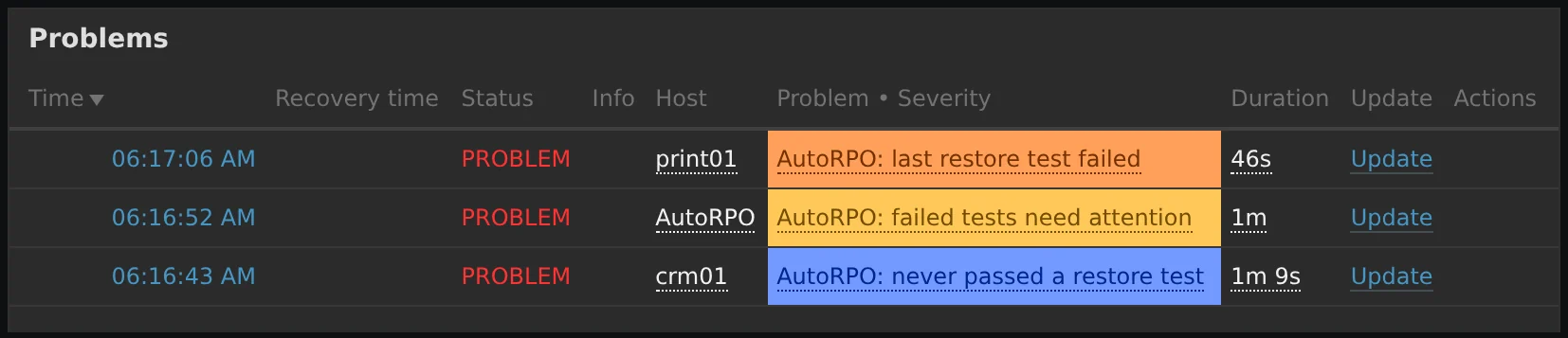 Problems from both templates in Zabbix's Problems list
A server that AutoRPO doesn't test shows Not tested by AutoRPO.
How names are matched #
The host's name in Zabbix is compared with the VM's name in AutoRPO. Upper and lower case don't matter, and
sql01 matches sql01.corp.local. sql01.brussels.local never matches sql01.paris.local.
If a server has a different name in Zabbix, set the macro {$AUTORPO.VMNAME} on its host to the VM's name in
AutoRPO.
Older versions of AutoRPO can't look up VMs by name. With one of those, each host shows AutoRPO needs updating for the name lookup until you update AutoRPO.
Changing how often it checks #
Set these macros on the template or on a host:
| Macro | Default | What it sets |
|---|---|---|
{$AUTORPO.INTERVAL} |
5m |
How often AutoRPO's status is checked |
{$AUTORPO.NODATA} |
30m |
How long without an answer before a problem is raised |
{$AUTORPO.VM.INTERVAL} |
1h |
How often each server's results are checked |