
Setup wizard
Setup takes you from a fresh install to a first real restore test without editing a file on the host; the product's own welcome page puts it at about 30 minutes, plus the time the first restore takes. Progress is saved after every step, so you can stop and come back. Everything you set here can be changed later in Settings, with the same forms and checks.
The steps #
- Welcome. Start a new setup, or restore from an AutoRPO backup (for example after rebuilding the host).
- Host check. Proxmox VE 9, running as root, hardware virtualisation, memory, clock synchronisation, free VMIDs, and that the host is not a cluster member. Failures block; warnings explain.
- Admin account. Name, email and password (at least 12 characters), the web address used in alert links, and optionally an authenticator app. The port, the HTTPS certificate and idle sign-out are changed later in Settings → Security.
- Backup sources. Add one or more PBS servers and choose datastores and namespaces. See PBS sources.
- Restore target. Where test copies go and the isolated bridge they connect to. See Restore target and network.
- Schedule. When your backups run; AutoRPO works out the restore windows. See Schedule.
- Alerts and licence (can skip). Where alerts go (email or a webhook), and a licence key, activated online when you continue. Without one, AutoRPO runs as the Community edition (25 VMs, non-commercial use). To test an alert, use Settings → Notifications after setup; to activate offline, use Settings → Licence.
- First test (can skip). AutoRPO restores a small, recently backed-up VM while you watch: progress, console screenshots and the guest agent result. When it reaches "awaiting sign-off", setup is complete.
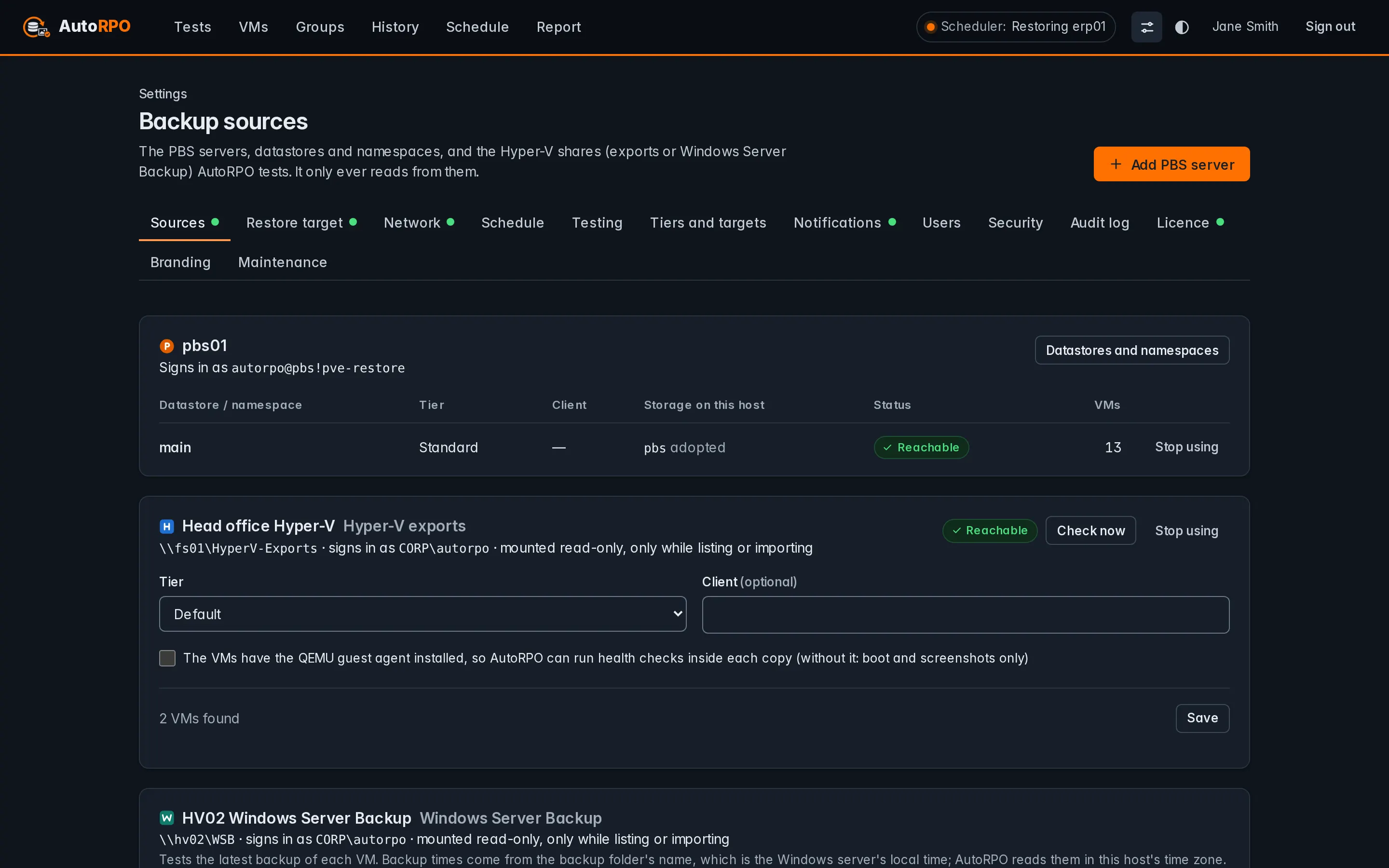 Sources: the same page is a setup step and a settings tab
Steps you skip appear on the dashboard under Finish setting up. Restores don't start until setup is finished.
Users and roles #
After setup, add people under Settings → Users:
| Role | Can |
|---|---|
| Admin | Everything, including settings, users and licence |
| Reviewer | Sign tests and restore-group runs off, test a VM or run a group now, review flagged VMs, refresh the inventory, open network captures |
| Viewer | Read-only (no network captures) |
New users get a one-time password and choose their own at first sign-in. Sign-ins are throttled, and every sign-in, sign-off and settings change goes into a tamper-evident audit log (Settings → Audit log).
Settings → Testing can stop people signing off tests they started, and can sign off fully passed tests automatically. Both are off by default.